Farah Lindell

  • T Mobile Plans Compared: Which Plan Fits Your Usage and Budget

    T Mobile Plans Compared: Which Plan Fits Your Usage and Budget

    T-Mobile sells more phone plans than most people realize. There are postpaid unlimited tiers, a budget saver plan, discounted versions for seniors and the military, prepaid options, and two cheaper brands it owns outright. This guide ranks the T-Mobile plans worth your money, explains the fees that change the real monthly cost, and helps you match a plan to how you actually use your phone.

    How T-Mobile’s lineup is organized

    T-Mobile overhauled its consumer postpaid lineup in April 2025. The Go5G family was replaced for new customers by three main plans: Experience Beyond, Experience More, and Essentials Saver. Older plans like Go5G Plus, Go5G Next, and Magenta still exist on many accounts. You just can’t sign up for them anymore.

    Around those three core plans sit several other groups:

    • Discounted versions of the Experience plans for customers 55 and older, military members and veterans, and first responders.
    • T-Mobile Prepaid, which skips the credit check and the monthly bill in favor of paying up front.
    • Metro by T-Mobile and Mint Mobile, two prepaid brands that run on the same network.
    • T-Mobile for Business plans, built for companies with multiple lines.
    • T-Mobile Home Internet and add-on lines for tablets, watches, and hotspots.

    The phone plans at T-Mobile differ mainly in five areas. These are how much “premium” data you get before speeds can be slowed, how much hotspot data is included, what you get abroad, which streaming perks are bundled, and how often you can upgrade your device.

    Prices change often

    T-Mobile adjusts promotions, perks and multi-line pricing regularly. The prices in this guide reflect T-Mobile’s April 2025 launch pricing with AutoPay. Confirm the current figure on T-Mobile’s plan page before you switch.

    How we ranked these plans

    A plan isn’t “best” because it has the longest feature list. We ranked each option on four things that affect most people’s monthly bill and daily experience.

    1. Real monthly cost. This is the price after AutoPay, plus the taxes and fees T-Mobile no longer includes on its newest plans.
    2. Data you can rely on. Premium data gets priority on a busy tower. Deprioritized data can crawl at a stadium or a packed commuter station.
    3. Useful extras. Hotspot allowances, international data, and in-flight Wi-Fi count. So does satellite texting. Streaming perks only count if you’d pay for those services anyway.
    4. Flexibility. We looked at price locks, contract terms, and how easy it is to leave.

    Coverage matters as much as any of these. T-Mobile’s 5G network is strong in most metro areas and along major highways. Rural coverage varies more. Before you commit, check T-Mobile’s coverage map for your home address, workplace, and anywhere you travel often.

    Quick-reference comparison: T-Mobile postpaid plans

    Plan Price, 1 line (AutoPay) Premium data Hotspot Satellite texting Best for
    Experience More $85/mo Unlimited 60GB high-speed Add-on Most people
    Experience Beyond $100/mo Unlimited 250GB high-speed Included (T-Satellite) Heavy users, travelers
    Essentials Saver $50/mo Can be slowed in congestion Limited Add-on Light users on a budget
    Experience More/Beyond 55 Discounted Same as standard Same as standard Same as standard Customers 55+ (up to 2 lines)
    Military / First Responder Discounted Same as standard Same as standard Same as standard Eligible service members and responders

    Prices are single-line launch prices with AutoPay. Taxes and fees are extra. Per-line costs drop as you add lines.

    The 7 best T-Mobile plans, ranked

    1. Experience More: best T-Mobile plan for most people

    PlanExperience More
    PriceFrom $85/mo, 1 line
    DataUnlimited premium
    Hotspot60GB high-speed
    Price lock5-year guarantee

    Experience More is our top pick for most people. It hits the sweet spot between price and features. It costs $85 a month for a single line with AutoPay at launch pricing. It drops your per-line cost meaningfully as you add family members.

    The headline feature is unlimited premium data. Your phone keeps priority on the network no matter how much you use. On older mid-tier plans, heavy users could be pushed to the back of the line after a set amount of data. That’s gone here.

    You also get 60GB of high-speed mobile hotspot. That’s enough to tether a laptop for remote work a few days a week. After 60GB, hotspot speeds drop sharply but don’t cut off.

    Other features included with Experience More:

    • 5-year price guarantee on talk, text, and data (taxes and fees excluded).
    • Streaming perks, which at launch were Netflix Standard with Ads and Apple TV+.
    • International coverage in 215+ countries and destinations, with a smaller high-speed data allowance than Beyond.
    • In-flight Wi-Fi on participating airlines, through T-Mobile’s partnerships.
    • T-Mobile Tuesdays weekly deals in the T-Life app.
    • Scam Shield call blocking.

    Who should pick it: anyone who uses a lot of data but doesn’t need a huge hotspot allowance. It also fits travelers who mostly stay in North America. If you’d pay for Netflix or Apple TV+ anyway, the bundled perks offset a real chunk of the price.

    Who should skip it: light users who mostly stay on Wi-Fi. You’re paying for unlimited premium data you won’t touch.

    Buying tip

    Before you choose a tier, open your phone’s settings and look at cellular data use for the past few months. If you rarely pass 15GB to 20GB, a cheaper plan or a T-Mobile-owned prepaid brand will save you real money.

    2. Experience Beyond: best for heavy users, frequent flyers, and travelers

    Experience Beyond is T-Mobile’s top consumer plan. It starts at $100 a month for one line with AutoPay at launch pricing. It’s built for people who lean hard on their phone for work, travel, and tethering.

    Three features justify the extra $15 a month over Experience More:

    • 250GB of high-speed hotspot. That’s enough to replace a home internet connection for some single-person households or digital nomads.
    • T-Satellite included. T-Mobile’s satellite service with Starlink launched commercially in July 2025. It lets compatible phones send texts from places with no cell signal. T-Mobile later added data support for select apps. On other plans it’s a paid add-on, priced at $10 a month at launch.
    • Much bigger international data allowance. You get more high-speed data across 215+ countries. That matters if you leave the country several times a year.

    Experience Beyond also stacks more streaming services. At launch it added Hulu with Ads on top of Netflix and Apple TV+. It carries the same 5-year price guarantee as Experience More.

    Who should pick it: remote workers who tether daily and international travelers. It also suits hikers, boaters, and rural drivers who would value satellite texting in a dead zone.

    Who should skip it: anyone who doesn’t use a hotspot heavily or travel abroad. For them, Experience More delivers 90% of the value for less.

    Watch out

    Satellite texting needs a compatible phone and a clear view of the sky. Messages can take longer to send than a normal text. Treat it as a backup, not a replacement for cell coverage.

    3. Essentials Saver: best budget postpaid plan

    Essentials Saver is the cheapest way to get a T-Mobile postpaid line. It costs $50 a month for one line with AutoPay at launch pricing. You still get unlimited talk, text, and data. The tradeoff is priority. During congestion, Essentials Saver traffic can be slowed behind customers on the Experience plans.

    In practice, most people won’t notice that slowdown in everyday use. You might feel it at a concert, a stadium, an airport gate, or a crowded downtown area at rush hour. Video streams in standard definition on this plan, which is fine on a phone screen.

    What you give up compared to the Experience plans:

    • Fewer or no bundled streaming services.
    • A much smaller hotspot allowance, or slower hotspot speeds.
    • Fewer travel benefits abroad.
    • Less generous device upgrade promotions. The best phone deals usually require an Experience plan.

    Who should pick it: light to moderate users who stay on Wi-Fi at home and work. It also fits budget-conscious families and anyone who brings an unlocked phone.

    Who should skip it: people who work in crowded places, tether often, or want a flagship phone deal. Promotions on the newest iPhone and Galaxy models typically tie the full discount to an Experience plan.

    4. Experience More 55 and Experience Beyond 55: best value for customers 55+

    T-Mobile has long offered discounted plans for customers aged 55 and older. The current versions mirror Experience More and Experience Beyond. The discounted pricing typically covers one or two lines, and at least one account holder has to meet the age requirement.

    The features stay largely the same as the standard plans. You still get unlimited premium data, the price guarantee, and the international benefits. You pay noticeably less per line.

    Who should pick it: couples or individuals 55 and older who want premium features without the standard price.

    Who should skip it: larger households. The 55+ pricing caps the number of discounted lines. A family of four will often do better on standard Experience pricing with multi-line discounts.

    5. Military and first responder plans: best discount for those who qualify

    T-Mobile offers discounted Experience plan pricing for active-duty military, veterans, and their families, plus first responders such as police, firefighters, and EMTs. Eligibility is verified, usually through an online check at sign-up.

    These versions keep the core features of the standard Experience plans. The discount is usually larger on multi-line accounts, which makes them some of the best-value family plans T-Mobile sells.

    Who should pick it: anyone who qualifies. There’s rarely a reason to pay standard pricing if you’re eligible.

    Buying tip

    Verify your eligibility before you activate. Moving to a discounted plan after you sign up can mean extra paperwork, and some promotions only apply at the time of activation.

    6. T-Mobile Prepaid: best for no credit check and no surprise bills

    T-Mobile Prepaid gives you the same network without a monthly bill after the fact. You pay before each month starts. There’s no credit check and no annual contract, and you can leave whenever you like.

    Prepaid plans come in several tiers, from limited-data options to unlimited plans with some premium data and hotspot. T-Mobile’s prepaid prices typically include taxes and fees, which makes budgeting easier than postpaid.

    The tradeoffs compared to postpaid:

    • Prepaid data usually ranks below postpaid data when a tower is congested.
    • Phone deals are smaller. You’ll often pay closer to full price or bring your own device.
    • Perks like streaming bundles and in-flight benefits are thinner or missing.
    • International features are more limited.

    Who should pick it: people with limited credit history and anyone who wants a firm monthly cost. It also suits parents setting up a first phone for a child.

    Who should skip it: people who want a heavily discounted new flagship phone, or who rely on top network priority.

    7. Mint Mobile and Metro by T-Mobile: cheapest ways onto the T-Mobile network

    T-Mobile owns two budget brands. Metro by T-Mobile has been part of the company since the 2013 merger with MetroPCS. Mint Mobile joined when T-Mobile completed its acquisition in 2024. Both run on T-Mobile’s network.

    Mint sells service in 3-, 6-, and 12-month blocks. Plans start at $15 a month for 5GB when you pay for 12 months up front. Mint’s unlimited plan comes to $30 a month on the 12-month term. Metro focuses on in-store shopping, with frequent free-phone promotions for people switching carriers.

    Data on these brands is generally deprioritized behind T-Mobile’s own postpaid customers during congestion. Customer support is mostly online for Mint and largely store-based for Metro.

    Who should pick it: anyone who mostly uses Wi-Fi and wants the lowest possible bill. If you’re comparing prepaid wireless carriers more broadly, these two belong near the top of the list on price alone.

    Who should skip it: heavy data users in busy areas and anyone who wants postpaid perks or bundled streaming.

    T-Mobile prepaid and budget options compared

    Option How you pay Credit check Network priority Taxes and fees Best for
    T-Mobile Prepaid Monthly, in advance No Below postpaid Usually included Predictable bills, no credit check
    Metro by T-Mobile Monthly, in advance No Below postpaid Usually included In-store shoppers, phone deals for switchers
    Mint Mobile 3, 6 or 12 months up front No Below postpaid Taxes and fees extra in most states Lowest cost, light users
    Essentials Saver (postpaid) Monthly bill Yes Below Experience plans Extra Postpaid on a budget

    Which T-Mobile plan fits your usage?

    Most people overpay for their phone plan because they guess at their data use. You can do better. On an iPhone, go to Settings, then Cellular. On most Android phones, go to Settings, then Network and Internet, then Data Usage. Look at your mobile data, not Wi-Fi, over the last few billing cycles.

    Then match your habits to a plan:

    Your usage Monthly mobile data Recommended plan
    Mostly on Wi-Fi, light browsing and messaging Under 10GB Mint Mobile or a limited prepaid plan
    Moderate social media, music, some video 10GB to 30GB Essentials Saver or Mint Unlimited
    Heavy streaming, video calls on the go 30GB+ Experience More
    Daily laptop tethering for work 30GB+ plus hotspot Experience Beyond
    Frequent international travel Varies Experience Beyond
    Off-grid hiking, boating, rural driving Varies Experience Beyond (T-Satellite included)
    Age 55+, one or two lines Any Experience More 55 or Beyond 55

    A few patterns stand out. If you stream on your commute every day, deprioritized data will frustrate you, so lean toward an Experience plan. If your phone sits on home and office Wi-Fi most of the day, almost any plan works, and the cheapest one is the right one.

    The real monthly cost: fees and fine print

    The sticker price on T-Mobile plans isn’t what you’ll pay each month. Several charges sit on top, and they add up fast on multi-line accounts.

    Taxes and fees are extra on the newest plans

    T-Mobile’s earlier Go5G and Magenta plans advertised taxes and fees included. The Experience plans and Essentials Saver don’t include them. Expect government taxes and surcharges that vary by state and city. On top of those comes T-Mobile’s own Regulatory Programs and Telco Recovery Fee, charged per line.

    That fee is a T-Mobile charge, not a government tax, even though it sits in the same part of your bill. T-Mobile has raised it before.

    AutoPay discount

    The advertised prices assume you enroll in AutoPay. Without it, you’ll typically pay about $5 more per line. T-Mobile restricts which payment methods qualify for the AutoPay discount, so check before you set it up. Using a debit card or bank account is the safe choice.

    Device connection charge

    New lines and upgrades usually carry a one-time device connection charge. It’s sometimes waived during promotions or for online orders. Ask about it before you check out.

    What the 5-year price guarantee covers

    The Experience plans include a 5-year price guarantee. It locks the monthly price of your talk, text, and data. It does not lock taxes, fees, add-ons, device payments, or third-party streaming services. If T-Mobile raises its Regulatory Programs fee, your bill can still go up.

    Charge Applies to Covered by price guarantee? How to reduce it
    Plan price (talk, text, data) All postpaid lines Yes, on Experience plans Add lines for multi-line pricing
    Taxes and government surcharges All postpaid lines No Varies by location; prepaid often bundles them
    Regulatory Programs and Telco Recovery Fee Each postpaid line No Prepaid plans avoid it
    AutoPay discount Each line N/A Enroll with a qualifying payment method
    Device connection charge New lines, upgrades No Ask about online or promo waivers
    Device financing Phones bought on payments No Bring your own phone

    Read the Broadband Facts label

    Since 2024, the FCC requires carriers to publish a Broadband Facts label for each mobile and internet plan. Think of it as a nutrition label for your phone plan. T-Mobile posts one for every plan, usually linked near the plan details.

    Each label lists the monthly price, one-time fees, recurring fees, typical download and upload speeds, latency, and the data allowance. It also shows whether the price is introductory. It’s the fastest way to compare T-Mobile mobile plans against each other or against other carriers on equal terms. Check the label for any plan before you sign up.

    T-Mobile device plans: how phone deals and financing work

    T-Mobile device plans are separate from your service plan, but the two are linked. The service plan you choose often decides how big a phone discount you get.

    Financing and bill credits

    When you buy a phone on a payment plan, T-Mobile spreads the cost over monthly installments. Under the Experience plans, standard financing runs 24 months. The big “free phone” deals usually work through monthly bill credits that offset your device payment.

    There’s a catch. If you leave T-Mobile or pay off the phone early, the remaining credits stop. You then owe the leftover balance on the device. In effect, a promotional phone deal keeps you on the network until the payments finish.

    Trade-ins

    T-Mobile’s best phone promotions usually involve trading in an eligible older phone. The value depends on the model, its condition, and your plan. Flagship discounts often require an Experience plan. Essentials Saver and prepaid customers typically get smaller offers.

    Bringing your own phone

    Bring your own device and you skip financing entirely. Any unlocked phone compatible with T-Mobile’s network will work. This approach pairs well with Essentials Saver, prepaid, or Mint, because you aren’t locked in by bill credits. Many affordable mobile phones support T-Mobile’s 5G bands well, so you don’t need a flagship to get good speeds.

    Buying tip

    If you buy through an authorized retailer, T-Mobile plan pricing is usually the same, but phone promotions and fees can differ from corporate stores. Ask for the full out-the-door price, including any connection charges, before you sign.

    Adding tablets, watches, and hotspots

    T-Mobile packages go beyond phones. You can add connected devices to most postpaid accounts as extra lines:

    • Tablets. Adding a Samsung tablet or a cellular iPad gives you data anywhere without tethering to your phone.
    • Smartwatches. Cellular Apple Watch and Galaxy Watch models can share your phone number for calls and texts when your phone isn’t nearby.
    • Mobile hotspots. Dedicated hotspot devices suit people who need more data than their phone plan’s hotspot allowance provides.

    Connected device lines cost less than phone lines. Pricing often depends on which phone plan you have, and promotions sometimes bundle a discounted tablet or watch with a new line. Be honest about whether you’ll use that cellular connection. A Wi-Fi-only tablet paired with your phone’s hotspot is often cheaper.

    T-Mobile for Business plans

    T-Mobile for Business runs its own lineup of plans, separate from the consumer Experience tiers. Business plans generally come in good, better, and best tiers. Per-line prices fall as you add lines, and they’re built around company needs rather than streaming perks.

    Features that matter for businesses include:

    • Account management tools for adding, removing, and controlling employee lines.
    • Hotspot and international allowances suited to traveling staff.
    • Device management and security options for company-owned phones.
    • Dedicated business support separate from consumer customer care.

    Small businesses with a handful of lines should compare business pricing against consumer Experience plans carefully. Sometimes a consumer family plan comes out cheaper. You give up business-grade support and management tools, though. Larger companies almost always benefit from a business account and negotiated rates.

    T-Mobile Home Internet plans

    T-Mobile also sells fixed wireless home internet. It runs on the same 5G network and uses a gateway device in your home instead of a cable or fiber line. The plans sit in three tiers: Rely, Amplified, and All-In. Higher tiers add faster expected speeds, better gateway hardware, security features, and bundled perks.

    The key detail: home internet pricing is lower when you also have a T-Mobile voice line. Bundling phone and internet can trim your total telecom bill. Our full review of home internet, T-Mobile pricing included, covers real-world speeds and who it suits.

    Home internet availability depends on your exact address. T-Mobile limits sign-ups in areas where the network doesn’t have spare capacity. Check your address on T-Mobile’s site before you cancel an existing provider.

    International plans and travel features

    T-Mobile’s international benefits are among the strongest of the big three US carriers. That’s one reason travelers favor it.

    The Experience plans include texting and data in 215+ countries and destinations, at no extra charge. The difference between tiers is the high-speed allowance. Experience Beyond gives you far more high-speed data abroad than Experience More. Once the high-speed allowance runs out, data keeps working at slower speeds suited to messaging and maps.

    Calls from abroad may cost extra per minute depending on the destination. Wi-Fi calling, which T-Mobile supports, avoids that if you’re connected to Wi-Fi.

    Canada and Mexico get special treatment on most T-Mobile cell phone plans. Talk, text, and data there work much like they do at home, within the plan’s limits.

    For heavy international data use beyond your allowance, T-Mobile sells day passes and international add-ons. Compare those against a local eSIM if you’ll spend weeks in one country.

    Switching to T-Mobile: what to check first

    Moving carriers is easier than it used to be, but a few steps prevent headaches.

    1. Check coverage at your address. Use T-Mobile’s coverage map for home, work, and your usual routes. If you can, borrow a friend’s T-Mobile phone or try a free test drive offer when one is running.
    2. Confirm your phone is unlocked and compatible. Your current carrier can tell you whether your phone is unlocked. T-Mobile’s site has a compatibility checker.
    3. Pay off or plan for device balances. If you still owe on a phone at your old carrier, leaving can trigger the remaining balance. T-Mobile sometimes runs switcher promotions that help cover it, usually as prepaid cards or bill credits.
    4. Keep your number. Get your account number and a number transfer PIN from your current carrier before you start. Don’t cancel your old service first, or you can lose the number.
    5. Read the Broadband Facts label for the plan you choose so you know the full monthly cost.

    Our verdict: which T-Mobile plan should you choose?

    For most people, Experience More is the best T-Mobile plan. It gives you unlimited premium data, a solid 60GB hotspot, a 5-year price lock, and streaming perks that offset part of the cost.

    Pick Experience Beyond if you tether every day, travel abroad several times a year, or want satellite texting as a safety net.

    Choose Essentials Saver if you want postpaid service on a budget and rarely use data in crowded places.

    If you’re 55 or older, or eligible for military or first responder pricing, take the discounted version of the Experience plans. It’s the best value T-Mobile offers.

    If your priority is the lowest possible bill, skip T-Mobile-branded plans and look at Mint Mobile or Metro by T-Mobile. They’re on the same network, with lower priority and fewer perks, for a fraction of the price.

    FAQ

    What is the cheapest T-Mobile plan?

    On T-Mobile-branded postpaid service, Essentials Saver is the cheapest at $50 a month for one line with AutoPay at launch pricing. Taxes and fees are extra. For the lowest cost on T-Mobile’s network overall, Mint Mobile starts at $15 a month for 5GB when you pay for 12 months up front.

    Do T-Mobile plans include taxes and fees?

    The newest postpaid plans, including Experience More, Experience Beyond, and Essentials Saver, do not include taxes and fees. Older Go5G and Magenta plans did. Most T-Mobile Prepaid plans include taxes and fees in the advertised price.

    What does the T-Mobile 5-year price guarantee cover?

    It locks the monthly price for talk, text, and data on the Experience plans for five years. It doesn’t cover taxes, T-Mobile’s Regulatory Programs and Telco Recovery Fee, add-ons, device payments, or third-party streaming services.

    Can I keep my old T-Mobile plan?

    Yes. If you’re on Magenta, Go5G, or another older plan, you can usually stay on it. You can’t sign up for those plans as a new customer, though. Switching to a newer plan is optional, but it’s sometimes required to get the best phone upgrade promotions.

    What is premium data on T-Mobile?

    Premium data gets priority when a cell tower is busy. Plans with lower priority, such as Essentials Saver, prepaid, Mint, and Metro, can see slower speeds during congestion. Experience More and Experience Beyond both include unlimited premium data.

    Is T-Mobile Prepaid worth it?

    It’s worth it if you want no credit check, no contract, and a predictable bill with taxes and fees built in. You give up some network priority, perks, and phone deals compared to postpaid. For many light users, Mint Mobile is cheaper still on the same network.

    Does T-Mobile have plans for seniors?

    Yes. T-Mobile offers 55+ versions of Experience More and Experience Beyond at a discount. The pricing typically covers one or two lines, and at least one account holder must be 55 or older.
  • T-Mobile authorized retailers versus corporate stores

    T-Mobile authorized retailers versus corporate stores

    A T-Mobile authorized retailer is an independently owned store licensed to sell T-Mobile plans, phones and services. A corporate store is owned and run by T-Mobile itself. Both sell the same national plans, but they can differ on fees, returns, promotions and how hard problems are to fix, so it pays to know which one you are in before you sign anything.

    OwnerIndependent dealer company
    PlansSame national T-Mobile plans
    ReturnsUsually same store only
    Extra feesPossible, ask first

    What a T-Mobile authorized retailer actually is

    An authorized retailer is a business that has a dealer agreement with T-Mobile. It sells T-Mobile service on T-Mobile’s behalf and earns money through commissions and its own accessory sales.

    From the outside, many of these stores look almost identical to corporate locations. They use the same magenta branding, carry the same phones and log into T-Mobile’s systems to open accounts.

    The difference is behind the counter. The staff work for the dealer, not for T-Mobile. The dealer sets their pay, hires and fires them, and decides much of how the store is run.

    Some dealers own one shop. Others run dozens or even hundreds of locations across several states. You might walk into two “T-Mobile” stores in the same mall and deal with two different companies.

    None of this makes authorized retailers bad. Plenty of them are well run, with experienced staff who know their local customers. But the business model shapes the experience, and you should understand it.

    Why T-Mobile uses dealers at all

    Dealers let T-Mobile cover far more ground than it could with company stores alone. Small towns, strip malls and neighborhoods that would never justify a corporate lease often get an authorized retailer instead.

    T-Mobile gets wider reach. The dealer gets a recognizable brand and a steady flow of customers. You get a nearby place to buy a phone or fix a SIM problem.

    What counts as a corporate store

    A corporate T-Mobile store is owned and operated by T-Mobile US. The employees are T-Mobile employees, the store follows T-Mobile’s internal retail policies directly, and any complaint goes straight up T-Mobile’s own management chain.

    Corporate stores tend to cluster in larger cities and busy shopping areas. Some are bigger, flagship-style locations with more demo space and more staff on the floor.

    Corporate staff can still earn commissions or incentives. A corporate store is not a sales-free zone. The main advantage is that the store answers directly to T-Mobile, so policies tend to be applied more consistently.

    Buying tip

    Before a big purchase, ask the rep: “Is this a corporate store or an authorized retailer?” You are entitled to a straight answer.

    Other places that sell T-Mobile service

    Corporate stores and authorized retailers are not the only options. Knowing the full list helps you pick the right place for the job.

    Big-box and national retailers

    Stores such as Best Buy sell T-Mobile service and phones alongside other carriers. These are third-party retailers with their own return policies and their own staff. They can be handy for comparing carriers in one trip, but complex account issues usually get pushed back to T-Mobile.

    Metro by T-Mobile stores

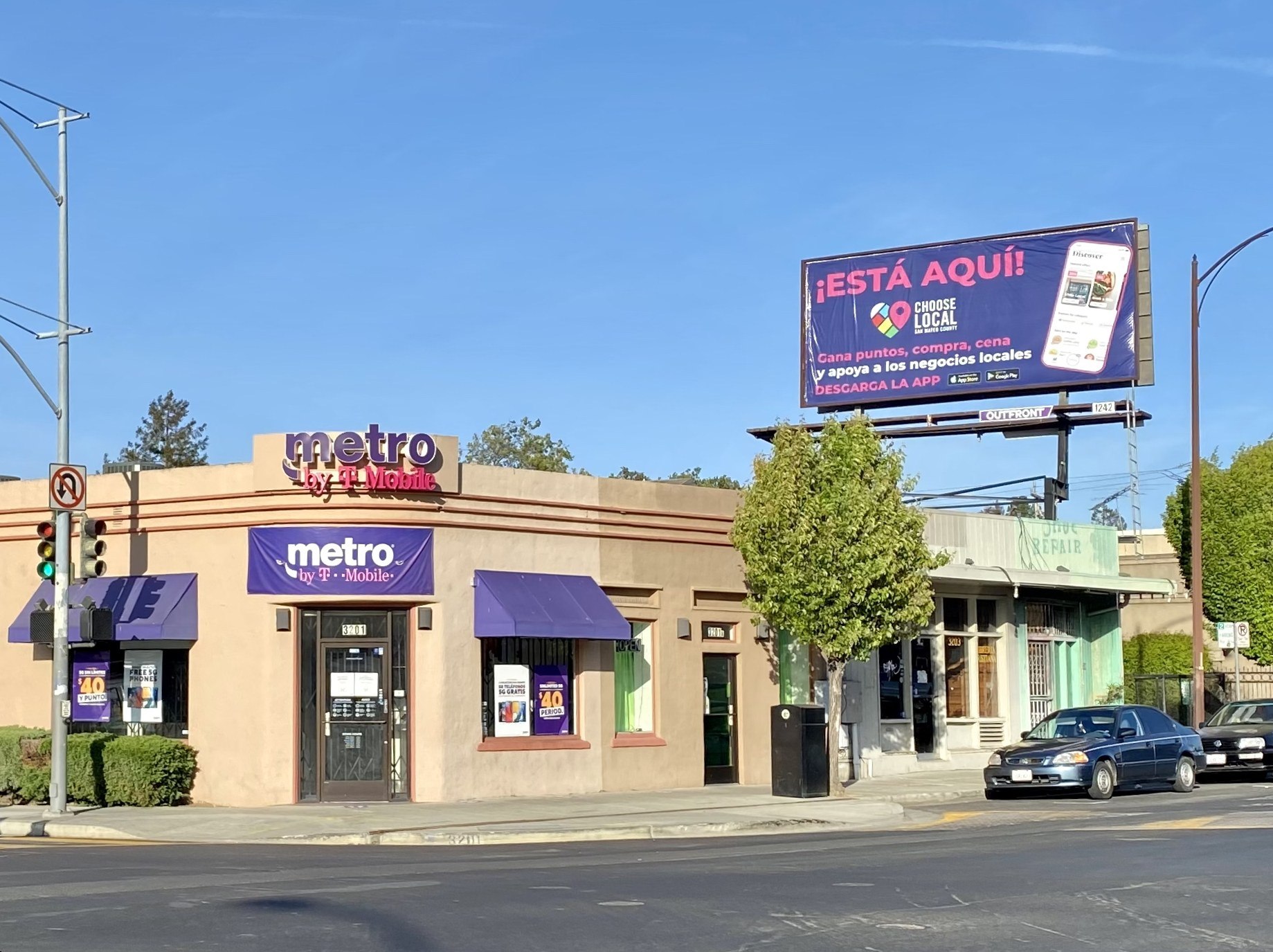
    Metro by T-Mobile is T-Mobile’s prepaid brand. Most Metro stores are independently owned dealers. Metro accounts are separate from T-Mobile postpaid accounts, so a Metro store generally cannot manage your regular T-Mobile bill or upgrade your postpaid line.

    If you are weighing Metro against other no-contract options, our guide to prepaid wireless carriers compares coverage and value across the main brands.

    Online and the T-Life app

    T-Mobile’s website and its T-Life app handle a growing share of sales and account tasks. You can switch, add a line, upgrade, apply for financing, pay your bill and manage features without visiting a store.

    Online orders follow T-Mobile’s standard policies. That makes them a useful baseline when you compare what a store is offering.

    7 real differences between authorized retailers and corporate stores

    Plans and pricing for service are set nationally by T-Mobile. Where things diverge is in the extras, the policies around the sale and what happens after you walk out the door.

    1. Who you are actually doing business with

    At a corporate store, your transaction is with T-Mobile. At an authorized retailer, the phone and service still come from T-Mobile, but the store itself is a separate company.

    This matters for anything the dealer sells on its own account. Cases, screen protectors, chargers and some setup services may be the dealer’s products, not T-Mobile’s. If something goes wrong with those, T-Mobile may not be able to help.

    Check your receipt. It should show the business name. A dealer receipt often lists the dealer’s company name, not just “T-Mobile.”

    2. Fees and charges

    T-Mobile charges a one-time device connection charge per line on many activations and upgrades. That applies whether you buy online, in a corporate store or at an authorized retailer.

    Some independent retailers have been reported to add their own fees on top. These can show up as setup, data transfer or “activation” charges that are separate from T-Mobile’s own fee. In-store bill payment can also carry a fee, depending on the store and payment method.

    Not every dealer does this. But you should always ask for a written breakdown of what you are paying today, what is T-Mobile’s charge and what is the store’s.

    Watch out

    If a rep says a fee is “required by T-Mobile,” ask them to point to it on T-Mobile’s own pricing. Dealer fees and carrier fees are not the same thing.

    3. Returns and exchanges

    T-Mobile’s standard return window for phones is short, typically 14 days for most purchases. Conditions apply, and a restocking fee can apply to some returns.

    The catch with authorized retailers is where you return. In practice, a purchase from a dealer usually needs to go back to that dealer, or at least to a store owned by the same dealer company. Corporate stores often will not process returns for dealer sales, and the reverse is also true.

    Accessories bought from a dealer follow the dealer’s own policy, which can be stricter than T-Mobile’s. Some shops do exchanges only, or store credit only.

    Read the return terms on your receipt before you leave. If you plan to travel or move within the return window, buying online or at a corporate store gives you fewer headaches.

    4. Promotions, deals and stock

    National promotions are usually available across channels, but not always. Some deals are online only. Some apply only in T-Mobile-owned stores. Some dealers run their own discounts funded out of their own margin.

    Stock can also differ. A corporate store pulls from T-Mobile’s inventory. A dealer orders its own stock and may have fewer colors, storage tiers or newer models on hand, especially right after a launch.

    The best habit is simple. Look up the deal on T-Mobile’s website or in T-Life first, note the exact terms, then ask the store to match them in writing.

    5. Account services and problem solving

    Both store types can handle everyday tasks: new lines, upgrades, SIM and eSIM swaps, trade-ins, plan changes and basic troubleshooting.

    Complex account issues are another story. Billing disputes, promotional credits that never arrived and tangled multi-line accounts often need T-Mobile care no matter which store you visit. Corporate staff tend to have more direct paths to escalate. Dealer staff may simply hand you a phone and ask you to call customer care.

    Cancelling service is a good example. Stores generally do not process full cancellations. You will usually be sent to T-Mobile care, or you will cancel by porting your number to another carrier.

    6. Sales pressure and add-ons

    Everyone in carrier retail works under sales targets. That is true at corporate stores and authorized retailers alike.

    The difference is that dealers often depend heavily on accessory and add-on margins to stay profitable. That can mean more aggressive pitching for bundles: a case, a screen protector, a charger, wireless earbuds and device protection, all rolled into one figure.

    Some bundles are reasonable value. Many are not. A rep pushing earbuds with your new iPhone, for example, may quote a price above what you would pay elsewhere. If you are tempted, check our look at the AirPods Pro 2 and whether they are still worth it first, and price out AppleCare for AirPods separately from any store bundle.

    You can always say no to accessories. They are never required to activate a line.

    7. Accountability when something goes wrong

    If a corporate rep misleads you, the complaint stays inside T-Mobile. Management can review the transaction, issue credits and discipline staff directly.

    With an authorized retailer, there are two layers. T-Mobile can investigate and correct anything on your T-Mobile account. But for anything the dealer sold or charged on its own, you may also need to deal with the dealer company itself.

    That extra layer is the single biggest reason some people prefer corporate stores for big, complicated transactions.

    Side-by-side comparison

    Corporate store Authorized retailer Online / T-Life
    Owned by T-Mobile Independent dealer T-Mobile
    Staff employed by T-Mobile Dealer company Not applicable
    National plans and pricing Yes Yes Yes
    T-Mobile connection charge Yes Yes Yes
    Extra store fees Rare Possible No
    Return location T-Mobile stores Usually same dealer By mail or store, per policy
    Accessory policy T-Mobile’s Dealer’s own T-Mobile’s
    Online-only deals Sometimes Sometimes Yes
    Escalation path Direct to T-Mobile Dealer plus T-Mobile T-Mobile care
    Best for Complex changes, upgrades Quick local help Clear pricing, simple switches

    How to tell if a T-Mobile store is corporate

    There is no single badge that marks a store as corporate. Use a few of these checks together.

    1. Check the store locator. T-Mobile’s store finder lists locations by city. Many listings identify authorized retailers in the store name or details. Look carefully at the full listing before you go.
    2. Look at the door. Authorized retailers commonly display “Authorized Retailer” signage, often with the dealer’s legal business name near the entrance.
    3. Ask the staff directly. A simple “Is this a corporate store?” usually gets an honest answer. If the rep dodges, treat that as your answer.
    4. Look at an old receipt. Dealer receipts typically show the dealer company’s name and address.
    5. Call T-Mobile care. Dial 611 from your T-Mobile phone and ask whether a specific address is corporate.
    6. Check the online reviews. Reviews that mention a company name other than T-Mobile are a strong hint.

    On the T-Mobile subreddit, people regularly ask how to find a corporate store, which shows how blurred the line looks from the street. Combining the locator listing with a quick question at the counter is the fastest reliable method.

    Buying tip

    Screenshot the store listing before you visit. If the store turns out to be a dealer, you have a record of what the locator showed.

    Which store type to use for each task

    Not every errand needs a corporate store. Match the place to the job.

    Task Best option Why
    Pay a bill T-Life app or online No in-store payment fees
    New SIM or eSIM swap Any store Quick, ID required either way
    Switch from another carrier Online, T-Life or corporate Clearest pricing and promos
    Upgrade a phone Online or corporate Full deal terms, easier returns
    Add a line Any store, after checking deals online Plans are the same everywhere
    Billing dispute T-Mobile care, then corporate store Stores often route to care
    Missing promo credit T-Mobile care Credits are handled centrally
    Return a phone Where you bought it Policies are channel specific
    Accessories Compare first Prices vary widely
    Cancel service T-Mobile care or port out Stores generally cannot cancel
    Hands-on phone demo Any store Same demo models in most

    If you are still deciding which handset to buy, our smartphone buying guide on how to choose a phone walks through screens, cameras, battery and software before you get to the counter.

    Buying a phone: how device offers really work

    T-Mobile publishes its device offers online, usually with a page for each phone showing every current deal. These offers typically depend on trade-in, plan tier, new line versus upgrade and financing through T-Mobile’s installment plan.

    That online offer page is your benchmark. Whatever a store quotes you should line up with those terms, or come out better.

    What to compare

    When you look at a deal for the latest iPhone or Galaxy flagship, write down:

    • The full retail price of the phone
    • The monthly installment amount and number of months
    • The promotional credit amount and how it is applied
    • Which plan the promo requires
    • Whether a trade-in is required, and which models qualify
    • Whether it applies to new lines, upgrades or both

    Promo credits on financed phones are usually spread across the life of the installment plan. If you pay off early or cancel the line, you can lose the remaining credits. This is true no matter where you buy, so ask the rep to confirm it.

    Trade-ins in store versus online

    In-store trade-ins can be faster because the rep can inspect the device on the spot. Online trade-ins usually involve mailing the phone back and waiting for an assessment.

    Either way, the trade-in value is set by T-Mobile’s program. A dealer should not be offering a lower value than T-Mobile’s published one for the same promotion. If the number looks off, check it in T-Life before you hand over your old phone.

    Budget and older phones

    Stores tend to push the newest flagships because that is where the big promos are. If you want something cheaper, you may get better pricing on a midrange model, or by buying an unlocked phone elsewhere and bringing it to T-Mobile. Our roundup of affordable mobile phones covers solid options that cost far less.

    Watch out

    A deal that sounds better in store than online deserves a second look. Ask whether the difference is a dealer discount, a different plan requirement or an accessory bundle folded into the price.

    Before you sign: a quick checklist

    Run through this list at any T-Mobile store, corporate or authorized.

    • Ask whether the store is corporate or an authorized retailer.
    • Get the full price breakdown in writing before anything is processed.
    • Separate T-Mobile charges from any store charges on that breakdown.
    • Confirm the exact plan name and monthly price, including taxes and fees.
    • Confirm the promotion terms and how credits will appear on your bill.
    • Decline any accessories or add-ons you did not ask for.
    • Ask where and how you can return the phone, and for how long.
    • Make sure device protection is only added if you want it.
    • Check your T-Life app before you leave to see the new line or device.
    • Keep your receipt and any paperwork until the first two bills look right.

    The first full bill after a change is where mistakes show up. Read it line by line, and compare it to what you were promised.

    If an authorized retailer got it wrong

    Mistakes happen at every kind of store. What matters is fixing them quickly.

    Step 1: Go back to the store

    Start with the store manager. Bring your receipt and any written quote. Many problems, like an unwanted accessory or a plan set up incorrectly, can be fixed on the spot within the return window.

    Step 2: Contact T-Mobile care

    If the store will not help, call T-Mobile care or use messaging in T-Life. Explain that you bought from an authorized retailer, give the store address and date, and describe what you were promised versus what you got.

    Care can fix your plan, adjust T-Mobile charges and add notes to your account. They can also flag the dealer transaction for review.

    Step 3: Deal with the dealer company

    For charges the dealer made on its own, such as accessories or dealer fees, you may need to contact the dealer’s head office. The company name should be on your receipt.

    Step 4: Escalate outside the company

    If you still have no resolution, you can file a complaint with the FCC, your state attorney general’s consumer protection office or the Better Business Bureau. Keep copies of everything you send.

    Disputing card charges

    If you paid a dealer fee or accessory charge by credit card and you were misled, your card issuer’s dispute process is another option. Gather your receipt and any written promises first.

    When an authorized retailer is the better choice

    It would be easy to read all this and decide to avoid dealers completely. That would be a mistake.

    Authorized retailers often fill real gaps. In smaller towns, the nearest corporate store can be an hour away. A good local dealer may know your area’s coverage better than anyone, and some keep the same staff for years.

    Dealers can also be faster for simple jobs. A SIM replacement, a quick eSIM transfer or help moving contacts to a new phone does not need a corporate store.

    Some dealers offer extra perks to compete, such as free screen protector installs or occasional dealer-funded discounts. If the price breakdown is clean and the return terms suit you, there is no reason not to buy there.

    The key is going in informed. You want the same transparency from a dealer that you would expect from T-Mobile itself.

    Corporate stores have downsides too

    Corporate stores are not perfect. Wait times at busy city locations can be long, especially on weekends and launch days. Booking an appointment online or in T-Life helps.

    Corporate reps also have sales goals. You may still hear pitches for device protection, extra lines or home internet. If T-Mobile’s broadband service interests you, read our T-Mobile Home Internet review covering speeds, pricing and who it suits before you agree to add it at the counter.

    Our take

    For big, complicated changes, a corporate store or T-Mobile’s own online channels are the safer bet. That covers switching carriers, upgrading several lines at once or sorting out billing problems. Policies are applied more consistently, returns are simpler and escalation is direct.

    For quick errands, a well-reviewed authorized retailer is perfectly fine and often more convenient.

    Whichever you choose, check the deal online first, get the price breakdown in writing and know where you will return the phone. Those three habits prevent almost every bad store experience.

    FAQ

    Is a T-Mobile authorized retailer the same as T-Mobile?

    No. An authorized retailer is an independent company licensed to sell T-Mobile service. Your plan and phone come from T-Mobile, but the store itself is separately owned.

    Do authorized retailers have the same plans and prices?

    Service plans and their monthly prices are set nationally by T-Mobile, so they should match. Device promotions, accessory prices and any store fees can differ.

    Can I return a phone bought at an authorized retailer to a corporate store?

    Usually not. Dealer purchases generally have to go back to the same dealer or another store owned by that company. Check the return terms on your receipt.

    Can an authorized retailer cancel my T-Mobile service?

    Generally no. Cancellations are usually handled by T-Mobile customer care, or by porting your number to another carrier.

    Why did an authorized retailer charge me fees I didn’t see online?

    Some dealers add their own charges for setup, data transfer or in-store payments. These are separate from T-Mobile’s connection charge. Ask for a written breakdown before you pay.

    Is it safe to give an authorized retailer my personal information?

    Authorized retailers access T-Mobile’s systems under their dealer agreement and are expected to follow T-Mobile’s security rules. Still, only share what the transaction needs, and set up an account PIN and T-Mobile’s account protection features.

    How do I find a corporate T-Mobile store near me?

    Use T-Mobile’s store locator and read each listing carefully, look for “Authorized Retailer” signage at the door, or call 611 and ask about a specific address.

    Can authorized retailers help with Metro by T-Mobile accounts?

    Not usually. Metro by T-Mobile is a separate prepaid brand with its own stores. A regular T-Mobile store, corporate or authorized, typically cannot manage a Metro account.

  • What Is a Personal Digital Assistant and How PDAs Led to Smartphones

    What Is a Personal Digital Assistant and How PDAs Led to Smartphones

    A personal digital assistant (PDA) is a handheld computer built to manage your calendar, contacts, notes and to-do lists, usually with a stylus and a small touchscreen. PDAs peaked between the mid-1990s and mid-2000s. Then they merged with mobile phones and became the smartphones we carry today.

    What a PDA actually is

    At its core, a PDA was a digital replacement for the paper organiser. It held four main apps: date book, address book, memo pad and to-do list. Everything else was a bonus.

    Most PDAs shared a few traits:

    • A pocket-sized body with a monochrome or, later, colour touchscreen
    • Pen input via a stylus, often with handwriting recognition
    • Syncing with a desktop PC through a cradle or cable
    • Long battery life, often weeks on two AAA cells

    Early models had no wireless connection at all. You plugged them into your computer to back up and update your data. That sync step was the whole workflow.

    Personal data assistant or personal digital assistant?

    Many people search for “what is personal data assistant.” It is the same device. The correct term is personal digital assistant, but “data” became a common slip because PDAs mostly stored personal data. Both phrases point to the same category of gadget.

    The official name came from Apple. CEO John Sculley used “personal digital assistant” at the Consumer Electronics Show in January 1992 while previewing the Newton. The label stuck for the whole category.

    A short history of PDAs

    Handheld organisers existed before the name did. British company Psion released its Organiser in 1984, and many historians count it as the first PDA. It looked more like a chunky calculator than a computer.

    The table below covers the devices that shaped the category.

    Year Device Maker Why it mattered
    1984 Organiser Psion Widely seen as the first PDA
    1993 Newton MessagePad Apple Coined the category; ambitious handwriting recognition
    1994 Simon Personal Communicator IBM / BellSouth Combined phone and PDA features
    1996 Pilot 1000 Palm Computing Made PDAs affordable and simple
    1996 Nokia 9000 Communicator Nokia Clamshell phone with a keyboard and organiser
    1999 Visor Handspring Palm OS with expansion modules
    2000 iPaq Compaq Popular Pocket PC with a colour screen
    2002 Treo 180 Handspring Early phone and Palm OS hybrid
    2003 Treo 600 Palm Mainstream PDA phone with a keyboard

    The Newton: right idea, too early

    The Apple Newton MessagePad launched in August 1993 at around $699. It was big, pricey and famous for poor handwriting recognition in its first version. Doonesbury and The Simpsons both mocked it.

    Later Newton models improved a lot. It didn’t matter. Steve Jobs cancelled the line in early 1998 after returning to Apple.

    The PalmPilot: the one that worked

    Palm got the formula right in 1996. The Pilot 1000 sold for $299 and fit in a shirt pocket. It did fewer things than the Newton, but it did them fast.

    Its secret weapon was Graffiti, a simplified alphabet you wrote with the stylus. Instead of the device learning your handwriting, you learned its shorthand. Most users picked it up in an afternoon.

    ChipMotorola DragonBall, 16 MHz
    Display160 x 160 monochrome
    BatteryTwo AAA cells
    Price$299 at launch

    Types of PDAs and their platforms

    By the early 2000s, PDAs split into a few camps based on operating system. Each one had a different sweet spot.

    Platform Key devices Best known for
    Palm OS PalmPilot, Palm V, Handspring Visor, Treo Simplicity, speed, huge app library
    Windows CE / Pocket PC / Windows Mobile Compaq iPaq, HP Jornada, Dell Axim Office file support, colour screens, multimedia
    EPOC / Symbian Psion Series 5, Nokia Communicator Keyboards, strong productivity apps
    Newton OS Apple MessagePad, eMate 300 Handwriting recognition
    BlackBerry OS RIM 850, BlackBerry 5810 Push email and a thumb keyboard
    Linux Sharp Zaurus Open platform for tinkerers

    Palm dominated the consumer side for years. Microsoft’s Pocket PC devices appealed to business users who wanted Word and Excel files on the go. Microsoft renamed the platform Windows Mobile in 2003.

    How PDAs turned into smartphones

    The PDA had one big weakness: it couldn’t talk to anyone. You carried a PDA and a mobile phone, two chargers, two devices. Merging them was the obvious next step.

    The first hybrids

    IBM’s Simon, sold by BellSouth in 1994, is often called the first smartphone. It had a touchscreen, calendar, address book and email. It was also heavy and short on battery, and sales were modest.

    Nokia’s 9000 Communicator in 1996 took a different route. It opened like a clamshell to reveal a keyboard and an organiser. Business users loved it.

    Email changed everything

    Research In Motion pushed the shift further. Its early pagers delivered email instantly, and the BlackBerry 5810 added voice calls in 2002. Our piece on BlackBerry phones covers how that thumb keyboard won over offices worldwide.

    Palm answered with the Treo line. The Treo 600 in 2003 put a phone, keyboard and Palm OS into one compact body. At that point, the standalone PDA started to look pointless.

    The iPhone ends the PDA era

    Apple announced the iPhone in January 2007 and released it that June, starting at $499. It dropped the stylus for a finger-friendly multitouch screen. The App Store arrived a year later and turned the phone into a full pocket computer.

    Android followed in 2008. Palm tried a comeback with webOS in 2009, and HP bought the company in 2010 for about $1.2 billion. Standalone PDAs had faded from the market well before then.

    Watch out

    Many early PDAs stored data in RAM. If the batteries died for too long, everything on the device was wiped.

    PDA vs a modern smartphone

    The gap between a 1996 Pilot and a current phone is staggering. Here is the original PalmPilot next to the iPhone 17, Apple’s base model announced in September 2025. Our iPhone 17 guide covers the full spec list.

    Spec Palm Pilot 1000 (1996) iPhone 17 (2025)
    Display 160 x 160 monochrome 6.3 in OLED, up to 120 Hz
    Processor DragonBall, 16 MHz Apple A19
    Memory 128 KB RAM 8 GB RAM
    Storage Shared with RAM From 256 GB
    Connectivity Serial cable sync 5G, Wi-Fi 7, Bluetooth
    Camera None 48 MP dual rear, 18 MP front
    Launch price (US) $299 $799

    Every core PDA app survives on that iPhone. Calendar, Contacts, Notes and Reminders are the direct descendants of the Palm’s four buttons. What changed is everything around them: cameras, maps, payments and constant connectivity. You can point a camera at a street sign with Google Lens, something no PDA owner could have imagined.

    Even the word “assistant” lived on. Siri, Google Assistant and Gemini now carry the name, though they handle voice requests rather than memo pads.

    Are there modern PDAs?

    Strictly speaking, no one sells PDAs in the classic sense anymore. Some devices fill the same role, though.

    • E-ink notetakers like the reMarkable and Kindle Scribe offer stylus notes without notifications.
    • Minimalist phones like the Light Phone strip a phone back to calls, texts and a few tools.
    • Older iPod touch units and other Wi-Fi-only devices work as offline organisers.

    These appeal to people who want focus over feeds. If you’re weighing that trade-off, our guide on how to choose a phone covers which features actually matter day to day.

    Buying tip

    Buying a vintage Palm or Pocket PC? Check the battery compartment for corrosion, as leaking AAA cells killed many units.

    FAQ

    What does PDA stand for?

    PDA stands for personal digital assistant. Some people say personal data assistant, but the original term from Apple in 1992 uses “digital.”

    What was the first PDA?

    The Psion Organiser from 1984 is usually credited as the first PDA. The Apple Newton in 1993 was the first device marketed under the name.

    What was the most popular PDA?

    The Palm line was the best known. The PalmPilot and later Palm models defined the category for most consumers in the late 1990s.

    Why did PDAs disappear?

    Smartphones absorbed them. Once phones like the Treo, BlackBerry and iPhone offered the same organiser tools plus calls and internet, carrying a separate PDA made no sense.

    Is a smartphone a PDA?

    In function, yes. A smartphone does everything a PDA did and much more. We just stopped using the old name once phone calls became part of the package.

  • T Mobile Home Internet Review: Speeds, Pricing and Who It Suits

    T Mobile Home Internet Review: Speeds, Pricing and Who It Suits

    T-Mobile Home Internet is a 5G fixed wireless service that typically delivers about 133 to 498 Mbps downloads for $50 to $70 a month with AutoPay. There’s no annual contract, no data cap, and no installer visit. It’s a strong pick if cable is overpriced or unavailable where you live. It’s a weak pick if you upload huge files daily or your address sits at the edge of T-Mobile’s coverage.

    Technology5G fixed wireless
    Download133 to 498 Mbps
    UploadRoughly 12 to 56 Mbps
    PriceFrom $50/mo
    ContractNone

    How T-Mobile Home Internet works

    T-Mobile ships you a gateway, a box that combines a 5G modem and a Wi-Fi router. It pulls signal from the same cell towers that serve T-Mobile phones and turns it into a Wi-Fi network in your home. You plug it in, scan a QR code in the T-Mobile Internet app, and most people are online in under 20 minutes.

    That simplicity is the big draw. Nobody drills holes in your walls, and you don’t wait a week for an appointment. The trade-off is that your speed depends on radio conditions: how far you are from the tower, how busy that tower is, and what sits between the gateway and the outside world.

    T-Mobile had signed up roughly 8.5 million broadband customers this way by the end of 2025, which makes it one of the largest home internet providers in the US. Verizon 5G Home and AT&T Internet Air sell the same kind of service. T-Mobile has the largest footprint of the three.

    Fixed wireless vs other connection types

    Fixed wireless sits between cable and satellite on most measures. Here’s how the connection types compare in practice.

    Connection type Typical download Typical upload Latency Install
    Fiber 300 Mbps to 5 Gbps+ Matches download Very low Technician, often days
    Cable 100 Mbps to 1+ Gbps 10 to 50 Mbps (some higher) Low Self or technician
    5G fixed wireless (T-Mobile) 133 to 498 Mbps About 12 to 56 Mbps Moderate, varies Self, same day
    DSL 10 to 100 Mbps 1 to 20 Mbps Moderate Self or technician
    Satellite (LEO) Around 50 to 250 Mbps 10 to 40 Mbps Moderate Self-mounted dish

    If fiber reaches your street, it beats T-Mobile Home Internet on every technical measure. T-Mobile also sells fiber in some markets through its Lumos and Metronet partnerships. Check that option first if your address qualifies.

    Plans and pricing

    T-Mobile reworked its 5G home internet lineup into three tiers: Rely, Amplified and All-In. Prices below are what T-Mobile lists with AutoPay as of 2025. Expect about $5 more per month without it. Taxes and fees may be extra depending on your state.

    Plan Price with AutoPay Typical download Typical upload Key extras
    Rely Internet $50/mo 133 to 415 Mbps 14 to 56 Mbps Gateway included, no data cap
    Amplified Internet $60/mo 170 to 498 Mbps 12 to 55 Mbps Faster speed tier, Advanced Cyber Security
    All-In Internet $70/mo 170 to 498 Mbps 12 to 55 Mbps Mesh access point, streaming perks

    T-Mobile cuts these prices if you also have an eligible T-Mobile voice line. The bigger discounts go to the premium phone plans. On those plans, the cheapest tier can drop into the $30s. The discount applies to postpaid T-Mobile lines. If your phone runs on one of the prepaid wireless carriers that borrow T-Mobile’s network, such as Mint, you won’t get it.

    Buying tip

    Check the Broadband Facts label for your exact address and plan before you order. It lists the typical speeds T-Mobile expects there, plus any fees.

    Which tier should you pick?

    For most households, Rely is enough. A 4K Netflix stream needs around 15 Mbps. Even the low end of Rely’s range handles several streams, video calls and gaming downloads at once.

    Amplified makes sense when your home has a lot of heavy users. T-Mobile gives the higher tiers better network treatment, so their speeds tend to hold up better at busy times. The security add-on is a nice bonus but not a reason to pay extra on its own.

    All-In is worth it mainly if your home is large or oddly shaped and you’d otherwise buy a mesh system. A mesh point bought separately costs $100 or more. Getting one bundled, plus streaming perks you’d otherwise pay for, can cover the $10 to $20 gap over the cheaper tiers.

    Speeds: what to realistically expect

    The headline range is wide on purpose. Two neighbors on the same plan can see very different numbers depending on which side of the house the gateway sits and how many people share their local tower.

    A few patterns hold up across user reports and independent testing from outlets like Ookla and PCMag:

    • Download speeds are good for the price. Most customers land between 100 and 300 Mbps, which is enough for streaming, remote work and large game downloads.
    • Upload speeds are the weak spot. Uploads in the 15 to 50 Mbps range are fine for Zoom. They’re slow if you back up terabytes of photos or upload video to YouTube daily.
    • Latency is higher than cable or fiber. Expect ping in the 30 to 60 ms range. Competitive gamers will feel it in fast shooters. Casual players mostly won’t.
    • Evenings can dip. When a cell site gets crowded, home internet traffic can be slowed before phone traffic. T-Mobile’s own network management disclosures say so.

    Watch out

    Home internet customers can be deprioritized behind phone users when a tower is busy. If your area is congested, prime-time speeds can drop well below what you see in the morning.

    Why 5G band matters

    T-Mobile’s best home internet results come from its mid-band 2.5 GHz spectrum, which it markets as Ultra Capacity 5G. If your gateway connects to that, you’re likely at the high end of the range. If it falls back to low-band 600 MHz or 4G LTE, speeds can drop below 100 Mbps.

    The T-Mobile Internet app shows signal strength for the 5G and 4G connections. A quick check during setup tells you a lot about the service you’ll get.

    Coverage and availability

    Availability is set address by address, not just by coverage map. T-Mobile caps how many home internet customers it adds in each area so the network doesn’t get overloaded. A neighbor might have service while your address shows as unavailable, or sits on a waitlist.

    Enter your exact address on T-Mobile’s site. You’ll get one of three answers: available, unavailable, or a waitlist. If you’re waitlisted, sign up anyway. T-Mobile adds capacity over time and does open slots in previously full areas.

    You can’t take the standard plan with you. The gateway is registered to your service address, and moving it can cut or degrade service. T-Mobile sells separate options for that:

    • Home Internet Away is a portable plan for RVs and travelers.
    • Home Internet Backup is a low-cost plan with a monthly data allowance. It acts as a failover if your main cable or fiber connection drops.

    Setup and the gateway

    Setup takes three steps. Download the T-Mobile Internet app, find the best spot using the app’s placement guide, and then name your Wi-Fi network and set a password. The app also lets you see connected devices, pause access for kids, and restart the gateway.

    Newer gateways support Wi-Fi 6 and include Ethernet ports for a desktop, console or extra router. You can’t swap the gateway for your own modem. You can turn off its Wi-Fi in some models, or plug your own mesh system into its Ethernet port and use that for coverage.

    Equipment is included in the monthly price. There’s no separate rental fee like cable companies often charge.

    Tips to make your T-Mobile Internet faster

    Most speed complaints come down to placement. The gateway is a radio, and small moves change a lot.

    Fix Why it helps How much it can matter
    Move the gateway near a window facing the nearest tower Glass blocks less signal than walls Often the biggest single gain
    Place it high, on a shelf or upper floor Fewer obstructions between gateway and tower Moderate to large
    Keep it away from metal, mirrors and appliances Metal reflects and absorbs signal Moderate
    Shorten the distance from the gateway to your devices Wi-Fi weakens with every wall Large for far rooms
    Use Ethernet for consoles and desktops Removes Wi-Fi interference entirely Lower, steadier latency
    Add a mesh access point Spreads Wi-Fi across large homes Fixes dead zones
    Restart the gateway weekly Can reconnect it to a better cell or band Small but free

    Distance from the gateway

    There are two separate links in your connection. One is the 5G signal from the tower to the gateway. The other is the Wi-Fi from the gateway to your phone or laptop. A great 5G signal won’t help if your bedroom is three walls away.

    Run a speed test standing next to the gateway, then again in the room you use most. If the first number is good and the second is poor, the problem is Wi-Fi coverage. A mesh point or Ethernet cable will fix it. If both numbers are poor, move the gateway.

    Connected devices and services

    Every phone, TV, camera and smart plug on your network shares the same connection. Most don’t use much data on their own. A cloud backup, a console update and two 4K streams running together will still squeeze a slower connection.

    Use the app to see what’s connected. Schedule big downloads overnight, and turn off automatic backups during work calls if uploads are tight.

    Extras and perks

    T-Mobile adds value around the connection itself. Some extras come with every plan. Others depend on your tier.

    • Advanced Cyber Security is included on the higher tiers. It screens for malicious sites and offers some privacy protection. It’s useful for less tech-savvy households, but it doesn’t replace good passwords and updates.
    • Streaming perks come with All-In, and with some phone plan bundles. T-Mobile rotates which services it includes, so check the current lineup before you count on a specific one.
    • T-Mobile Tuesdays is the weekly rewards program in the T-Life app. It offers free items, discounts and occasional bigger giveaways. Home internet customers can use it too.
    • Support options include the T-Life app, phone support and live chat. T-Mobile has also tested video assistance and screen sharing so an agent can see your setup during a call or in a store.

    None of these should decide the purchase on its own. Judge the service on whether it works well at your address, and treat the perks as a bonus.

    Downsides to weigh

    T-Mobile Home Internet is good value, but it isn’t flawless.

    1. Variable performance. Speeds depend on tower load and placement, and can change from month to month as more people join your local cell.
    2. Modest upload speeds. Content creators and anyone who works with large files will notice them.
    3. Higher latency than wired service. Fine for most gaming, but not ideal for competitive play.
    4. Limited router control. You can’t fully swap the gateway, and advanced settings like custom DNS on the gateway itself have historically been limited.
    5. Address-locked service. Your standard plan works only at the registered address.

    Who T-Mobile Home Internet suits

    It suits you if:

    • Your only wired option is a slow DSL line or an expensive cable plan.
    • You want a predictable bill with no data caps, no equipment rental and no annual contract.
    • You’re a T-Mobile phone customer and can stack the voice line discount.
    • You’re a renter who doesn’t want an installer drilling walls.
    • Your household mostly streams, browses, works remotely and video calls.

    Look elsewhere if:

    • Fiber is available at your address at a similar price.
    • You upload large files daily or run a home server.
    • You play competitive online games and care about every millisecond of latency.
    • The app shows weak 5G signal at your address, or your area is known for evening slowdowns.

    Trying it and canceling

    T-Mobile has long offered a test drive window for new home internet customers. During that time you can return the gateway and cancel with no penalty if the service doesn’t work out. Use those first days to run speed tests at different times, especially weekday evenings, before you cancel your old provider.

    If you cancel later, there’s no early termination fee on the plan itself. You do have to return the gateway, or T-Mobile can charge you for it. If you bought a phone or other device on a payment plan tied to a bundle discount, check how canceling affects that before you call.

    Buying tip

    Keep your current internet active until you’ve run speed tests on several evenings. Peak-time speed is the real test.

    The verdict

    For around $50 a month, T-Mobile Home Internet beats most cable plans on value and smashes DSL on speed. You can set it up in minutes, and you can leave whenever you like. Its limits are real: uploads are average, latency is higher than wired service, and performance depends on where you live. Check your address, use the trial window to test peak hours, and keep fiber at the top of your list if it reaches your street.

    FAQ

    Is T-Mobile Home Internet fast enough for streaming and working from home?

    Yes, for most households. Typical speeds of 133 to 498 Mbps handle multiple 4K streams and video calls at once. Uploads are the main limit if you share large files often.

    Does T-Mobile Home Internet have a data cap?

    No. All three main 5G plans include unlimited data. During congestion, though, home internet traffic can be slowed before T-Mobile phone traffic.

    Can I use T-Mobile Home Internet in a different location?

    Not on the standard plans. Service is tied to your registered address. T-Mobile sells a separate Away plan for RVs and travel use.

    Can I use my own router with T-Mobile Home Internet?

    You must keep the T-Mobile gateway, but you can connect your own router or mesh system to its Ethernet port. Many users do this to get better Wi-Fi coverage and more control over settings.

    How much is T-Mobile Home Internet with a phone line?

    As of 2025, the base plans run $50 to $70 a month with AutoPay. Eligible T-Mobile voice lines bring that down, with the biggest discounts on premium phone plans. Check T-Mobile’s site for the current discount on your plan.

    Is gaming good on T-Mobile Home Internet?

    Casual and console gaming works well for most people. Expect latency around 30 to 60 ms, which competitive players in fast shooters will notice. A wired Ethernet connection to your console helps keep it steady.

  • BlackBerry Phones and the Rise and Fall of the Brand

    BlackBerry Phones and the Rise and Fall of the Brand

    BlackBerry no longer makes phones. The company stopped designing its own hardware in 2016, the licensed TCL models ended in 2020, and on January 4, 2022 BlackBerry switched off the services that its classic phones needed to work. BlackBerry Limited still exists as a Canadian software company focused on cybersecurity and its QNX operating system for cars. Here is how the brand went from pager to phone, then to dominance, and then out of the phone business entirely.

    Founded1984, Waterloo, Ontario
    First BlackBerry850 pager, 1999
    Peak usersabout 80 million
    Last flagshipKEY2, 2018
    Business todaySecurity and QNX software

    Is BlackBerry still around?

    Yes, but not as a phone maker. The company that built the BlackBerry phone was called Research In Motion (RIM) until 2013, when it renamed itself BlackBerry Limited. It still trades on the New York and Toronto stock exchanges under the ticker BB.

    What it sells now has nothing to do with keyboards. Its biggest growth business is QNX, a real-time operating system embedded in car infotainment, digital cockpits and driver-assistance systems. The other half is secure communications and endpoint management for governments and large enterprises.

    If you came here looking for a new BlackBerry phone to buy, there isn’t one. Any “BlackBerry” you find for sale today is old stock, refurbished, or a lookalike from another brand.

    From pager to phone: Research In Motion’s early years

    RIM was founded in 1984 by two engineering students, Mike Lazaridis and Douglas Fregin, in Waterloo, Ontario. For its first decade it did contract engineering and wireless data work, including point-of-sale terminals and products for the Mobitex wireless data network.

    Jim Balsillie, a Harvard MBA, joined in 1992 and became co-CEO alongside Lazaridis. That pairing defined the company for the next 20 years. Lazaridis ran engineering and product, while Balsillie handled sales, carriers and finance.

    The first hit was the Inter@ctive Pager. The 900 model arrived in the mid-1990s as a clamshell two-way pager, and the smaller 950 followed in 1998. It had a tiny QWERTY keyboard and could send and receive messages, which made it unusually capable for its time.

    In January 1999 RIM launched the BlackBerry 850. It was still a pager, running on a single AA battery, but it did one thing better than anything else: it pushed your corporate email to your belt in real time. You didn’t have to dial in or check. The mail simply arrived.

    Voice came later. The BlackBerry 5810 in 2002 could make calls, but only with a wired headset because it had no built-in speaker or microphone. The 6210 in 2003 fixed that, and from that point the BlackBerry was a phone in the full sense.

    Why it’s called BlackBerry

    RIM hired the naming firm Lexicon Branding to find something friendlier than “Inter@ctive Pager.” Lexicon’s team thought the small oval keys on the device looked like the drupelets on a blackberry fruit. The name was short, approachable and nothing like the cold technical names rivals used, and it stuck.

    That fruit connection is why search results for “blackberry” mix phones with gardening advice. The FAQ at the end answers a few of the fruit questions too, since so many people end up searching both.

    The BlackBerry phones that defined an era

    RIM released dozens of models, often in multiple carrier variants with slightly different numbers. These are the ones that mattered most, either because they sold in huge volumes or because they marked a turning point.

    Model Year Why it mattered
    Inter@ctive Pager 950 1998 Compact two-way pager with QWERTY keys
    BlackBerry 850 1999 First BlackBerry-branded device, push email
    BlackBerry 5810 2002 First BlackBerry with voice (headset needed)
    BlackBerry 6210 2003 Built-in mic and speaker, a true phone
    BlackBerry 7100t 2004 SureType keyboard aimed at consumers
    Pearl 8100 2006 Slim body, trackball, camera, media player
    Curve 8300 2007 Affordable full keyboard, a huge seller
    Bold 9000 2008 3G, sharp screen, premium build
    Storm 9530 2008 First touchscreen BlackBerry, SurePress
    Torch 9800 2010 Slider with touch and keyboard, OS 6
    Z10 2013 First BlackBerry 10 phone, all touch
    Q10 2013 BlackBerry 10 with a physical keyboard
    Passport 2014 Square 4.5-inch screen, wide keyboard
    Priv 2015 First Android BlackBerry, slider
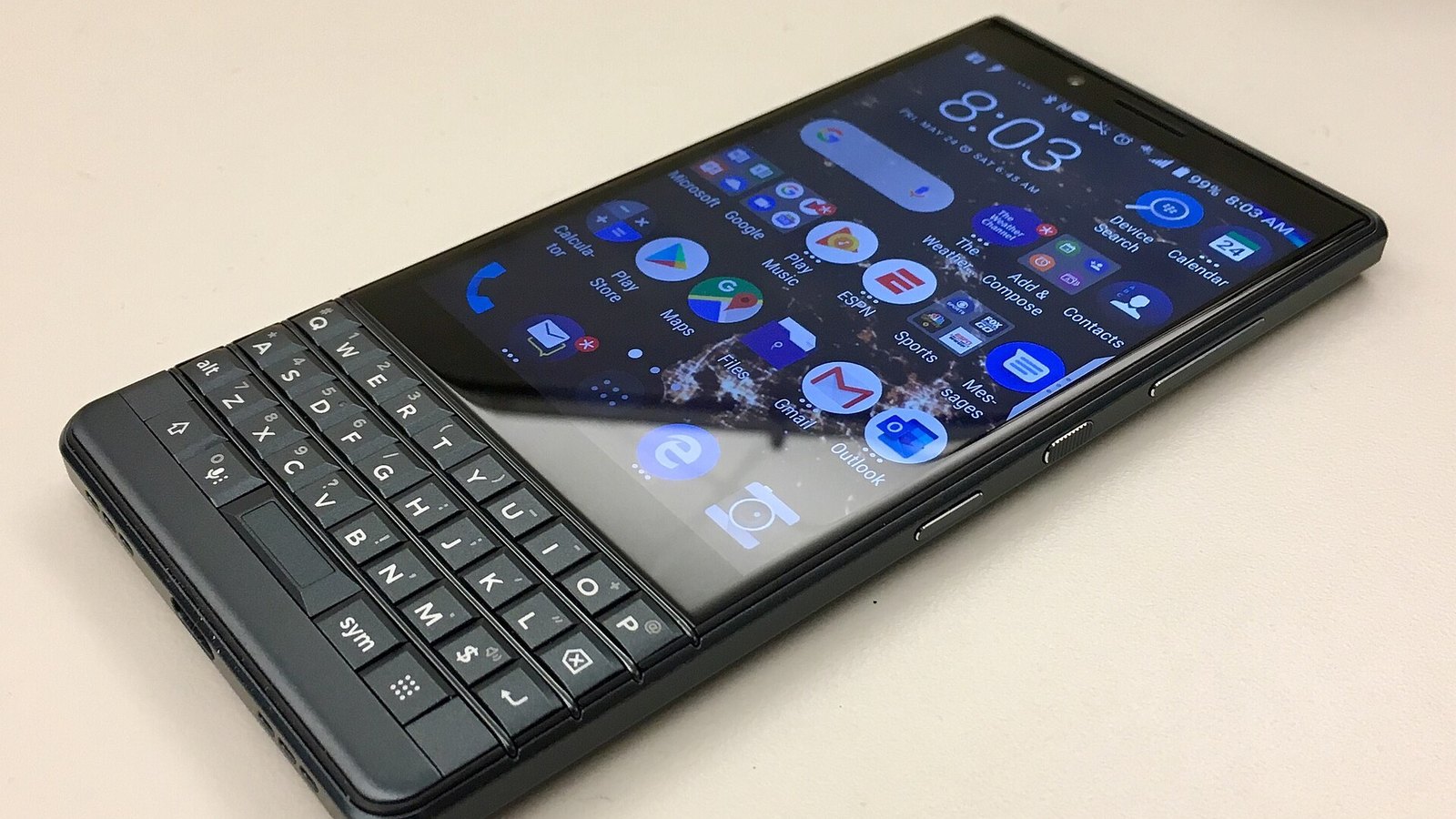
    KEYone 2017 TCL-built Android phone with keyboard
    KEY2 2018 Last major BlackBerry flagship

    The Pearl and Curve were the models that took BlackBerry from Wall Street into high schools. The Pearl replaced the scroll wheel with a trackball and added a camera, and the Curve brought the full keyboard down to a price ordinary buyers would pay. By the late 2000s, the Curve was a common first smartphone for teenagers in North America, the UK, Indonesia and South Africa.

    Why BlackBerry ruled the 2000s

    It’s easy to look back and think BlackBerry won on keyboards alone. That undersells it. The company built an entire system that competitors took years to match.

    Push email that actually worked. BlackBerry devices didn’t poll a server every few minutes. Mail was pushed through RIM’s own network operations centers, compressed and encrypted. That kept data use low and battery life high on networks that were slow and expensive by today’s standards.

    BlackBerry Enterprise Server (BES). This was the real moat. BES sat inside a company’s network and let IT departments encrypt traffic, enforce passwords, push policies and wipe lost phones remotely. Banks, law firms and governments standardized on it because nothing else gave them that much control.

    BlackBerry Messenger (BBM). Launched in 2005, BBM let users message each other for free using a PIN instead of a phone number. It showed delivered and read receipts years before WhatsApp existed. For many younger users, BBM was the reason to own a BlackBerry at all.

    The keyboard. RIM’s keyboards were sculpted, clicky and fast. Heavy emailers could type with their thumbs without looking. Early touchscreens couldn’t come close for accuracy.

    Battery life. Low-resolution screens, efficient software and that compressed data meant a BlackBerry could last a couple of days. Early smartphones from other brands often struggled to get through one.

    The cultural grip was strong enough that “CrackBerry” became shorthand for compulsive email checking. Webster’s New World College Dictionary picked it as its word of the year in 2006. When Barack Obama took office in 2009, he fought to keep using a BlackBerry, and the device he ended up with was a specially secured model.

    The peak years in numbers

    BlackBerry’s growth curve through the late 2000s was steep, and the collapse was steeper. RIM’s fiscal year ended in late February or early March, so “FY2011” mostly covers calendar 2010.

    Fiscal year Revenue (US$) What was happening
    FY2008 $6.0 billion Curve and Pearl driving consumer sales
    FY2009 $11.1 billion Bold and Storm launch; iPhone 3G arrives
    FY2010 $15.0 billion Rapid global expansion
    FY2011 $19.9 billion All-time revenue peak
    FY2012 $18.4 billion PlayBook flop, 2011 outage
    FY2013 $11.1 billion BlackBerry 10 delays
    FY2014 $6.8 billion Z10 inventory writedown
    FY2015 $3.3 billion Passport and Classic
    FY2016 $2.2 billion Priv, shift to Android
    FY2017 $1.3 billion Hardware design ends

    Subscribers kept growing for a while after revenue started slipping, peaking close to 80 million around 2012 and 2013. That lag fooled some observers. Plenty of those users were on cheap Curves in emerging markets, paying little and ready to switch the moment an affordable Android phone showed up.

    The share price told the story faster. RIM’s market value topped roughly $80 billion in mid-2008. Five years later it was worth a small fraction of that.

    How the iPhone and Android caught BlackBerry flat-footed

    Apple unveiled the iPhone in January 2007. The first Android phone, the T-Mobile G1, followed in late 2008. Inside RIM, the early reaction was skepticism. The iPhone had no keyboard, weak battery life, no enterprise security to speak of and it ran only on AT&T in the US.

    All of that was true in 2007. None of it mattered by 2010.

    What RIM underestimated was where the value was moving. The iPhone made the web browser, apps and the screen the center of the phone. Once Apple launched the App Store in 2008 and Google’s Android spread across dozens of manufacturers, developers followed the users. BlackBerry’s app catalog never came close, and its Java-based BlackBerry OS was poorly suited to rich apps.

    The second miss was the “bring your own device” shift. RIM’s sales strategy ran through IT departments. When employees started showing up with iPhones and demanding email on them, companies gave in, and Microsoft Exchange ActiveSync made it easy. BES was no longer the only secure option, so BlackBerry lost its strongest selling point.

    The Storm and PlayBook misfires

    RIM’s first answer to the iPhone was the BlackBerry Storm, an exclusive for Verizon in the US in late 2008. Its SurePress screen physically clicked when you pressed it, which was a clever idea on paper. In practice, early units shipped with buggy software and a sluggish screen, and the Storm became a byword for a rushed product.

    The BlackBerry PlayBook tablet arrived in April 2011 at $499 for 16GB. It ran a new QNX-based operating system that was genuinely fast. But at launch it lacked a native email app unless you paired it with a BlackBerry phone, which is an astonishing omission from the email company. In late 2011 RIM took a writedown of roughly $485 million on PlayBook inventory.

    The 2011 outage

    In October 2011, a failure in RIM’s infrastructure knocked out email, BBM and browsing for BlackBerry users across Europe, the Middle East, Africa, Latin America and North America for about three days. The centralized network that made BlackBerry secure also made it fragile. For corporate customers already being pushed toward iPhones, the outage gave them a reason to finally switch.

    BlackBerry 10: the last in-house bet

    In January 2012, Lazaridis and Balsillie stepped down as co-CEOs, and Thorsten Heins took over. His job was to ship BlackBerry 10, a completely new operating system built on QNX, which RIM had bought in 2010.

    BlackBerry 10 finally launched on January 30, 2013, a year later than RIM had first suggested. On the same day the company renamed itself BlackBerry. The launch phones were:

    • BlackBerry Z10: 4.2-inch 1280 x 768 touchscreen, dual-core processor (Snapdragon S4 or TI OMAP depending on region), 2GB RAM, 16GB storage, 1,800 mAh removable battery, 8MP camera.
    • BlackBerry Q10: 3.1-inch 720 x 720 Super AMOLED screen with a full physical keyboard, 2,100 mAh battery.

    Reviewers liked BlackBerry 10’s gesture navigation and the BlackBerry Hub, a unified inbox that pulled email, texts and social messages into one place. The problem was timing. By 2013 the iPhone 5 and the Galaxy S4 had huge app libraries, and BlackBerry 10 couldn’t attract developers fast enough to close the gap.

    The Z10 sold badly. In September 2013 BlackBerry announced a pre-tax inventory charge of $934 million, largely tied to unsold Z10 phones, and said it would cut about 4,500 jobs. A $4.7 billion buyout offer led by Fairfax Financial was announced the same autumn and then collapsed. John Chen, who had turned around the database company Sybase, became CEO in November 2013.

    BlackBerry 10 produced two more interesting phones. The Passport (2014) had a square 4.5-inch 1440 x 1440 display and a wide three-row touch-sensitive keyboard aimed at reading documents and spreadsheets. The Classic (2014) brought back the trackpad and the familiar Bold-style layout for loyalists. Both found fans, but neither changed the trajectory.

    Android BlackBerry phones and the licensing era

    Chen’s strategy was clear: stop fighting the app war and turn BlackBerry into a software and security company. The phones would have to earn their place or go.

    In November 2015 BlackBerry launched the Priv, its first Android phone. It paired a curved 5.4-inch display with a slide-out keyboard and BlackBerry’s security tweaks on top of Android. The Priv was well built but expensive at $699 in the US, and sales were modest.

    In September 2016 BlackBerry announced it would stop designing phones in-house. From then on, partners would build BlackBerry-branded devices under license, and BlackBerry would supply the software and security layer. TCL Communication took the global license, while Optiemus held India and BB Merah Putih held Indonesia.

    Model Year Chip Display Battery Keyboard
    Priv 2015 Snapdragon 808 5.4 in curved AMOLED 3,410 mAh Slide-out
    DTEK50 2016 Snapdragon 617 5.2 in LCD 2,610 mAh None
    KEYone 2017 Snapdragon 625 4.5 in LCD, 3:2 3,505 mAh Fixed QWERTY
    KEY2 2018 Snapdragon 660 4.5 in LCD, 3:2 3,500 mAh Fixed QWERTY

    The KEYone was the most successful of the bunch. Its battery life was excellent, and the keyboard doubled as a touch-sensitive trackpad for scrolling. The KEY2 refined that formula with a dual camera and a thinner build, and it remains the phone most people mean when they ask about the “last real BlackBerry.”

    ChipSnapdragon 660
    Display4.5 in, 1620 x 1080
    Battery3,500 mAh
    Memory6GB RAM, 64/128GB
    Price$649 at US launch

    TCL announced in February 2020 that it would stop selling BlackBerry phones after August 31, 2020. A Texas startup called OnwardMobility then announced plans for a 5G Android BlackBerry with a keyboard for 2021. That phone never shipped. BlackBerry ended the license, and OnwardMobility shut down in early 2022.

    The 2022 shutdown: what stopped working

    On January 4, 2022, BlackBerry ended support for the infrastructure behind its legacy operating systems. The company had announced the date well in advance and warned that affected devices would no longer reliably handle data, calls, texts or even emergency calls.

    Platform Examples Status after Jan 4, 2022
    BlackBerry OS 7.1 and earlier Curve, Bold, Pearl, Torch Unreliable data, calls, SMS and 911
    BlackBerry 10 Z10, Q10, Passport, Classic, Leap Unreliable data, calls, SMS and 911
    BlackBerry PlayBook OS 2.1 and earlier PlayBook tablet Services shut down
    Android (BlackBerry-branded) Priv, DTEK50, KEYone, KEY2 Still work, but no longer updated

    The consumer BBM app had already gone. BlackBerry handed it to Indonesian company Emtek in 2016, and that version closed on May 31, 2019.

    Watch out

    Android BlackBerry phones survived the 2022 shutdown, but they are stuck on old Android versions with no security patches. Do not use one for banking or work email.

    What BlackBerry Limited does now

    Strip away the phones and BlackBerry still owns some valuable technology.

    QNX. This is the company’s crown jewel. QNX is a real-time operating system that runs safety-critical software in cars, medical devices and industrial equipment. BlackBerry says QNX software is embedded in more than 200 million vehicles, supplying most of the world’s major automakers and Tier 1 suppliers.

    Secure communications. BlackBerry sells secure messaging and endpoint management tools to governments and regulated industries. This is the direct descendant of BES, the product that made the BlackBerry phone indispensable to IT departments.

    Cylance, briefly. BlackBerry bought AI security company Cylance in 2019 for $1.4 billion to anchor its cybersecurity push. The deal never delivered the hoped-for growth, and BlackBerry agreed to sell Cylance to Arctic Wolf in late 2024.

    The patent sale. In 2023, BlackBerry agreed to sell most of its legacy mobile patents to Malikie Innovations for up to $900 million, combining upfront cash with future royalties. That deal effectively closed the book on BlackBerry as a mobile hardware company.

    John Chen retired as CEO in late 2023, and John Giamatteo, previously head of the cybersecurity unit, took over. The company that once made around $20 billion a year now reports annual revenue well under $1 billion.

    Why BlackBerry really fell: five lessons

    Plenty of business-school case studies boil the BlackBerry story down to “they ignored the iPhone.” That’s too simple. Here’s a sharper reading.

    1. It optimized for the buyer, not the user. RIM sold to IT departments and carriers. When consumers became the people who decided which phone a company would support, RIM had no instinct for what they wanted.
    2. Its strengths became constraints. The centralized network that made email secure and efficient also made BlackBerry dependent on its own servers, carrier fees and a single point of failure.
    3. It replaced its OS too late. BlackBerry 10 was good. Had it launched in 2010 instead of 2013, the outcome might have been different. By 2013, developers had already committed to iOS and Android.
    4. Half-measures confused buyers. The Storm, the Torch and the PlayBook each tried to answer the iPhone without fully committing. None of them did any single thing better than the competition.
    5. Emerging markets masked the decline. Strong subscriber numbers in Indonesia, Nigeria and the Gulf states made the business look healthier than it was. Those users were price-sensitive and moved to cheap Android phones quickly.

    The fair counterpoint is that BlackBerry survived. Many 2000s phone makers ended up absorbed or reduced to licensed brand names. BlackBerry rebuilt itself around software it already owned, which is more than most fallen giants manage.

    Can you still use a BlackBerry phone today?

    You can, with big caveats. Classic BlackBerry OS and BlackBerry 10 devices are effectively museum pieces now. They may power on, but carriers have also shut down their 3G networks (AT&T, T-Mobile and Verizon all retired 3G in the US during 2022), and many older BlackBerry phones can’t make calls without it.

    The Android models are the only practical option. A KEY2 or KEYone still works as a phone if your network supports it, but TCL’s update promise ran only until August 2022. The KEY2 never got an official update beyond Android 8.1, so many current apps will eventually stop supporting it.

    Buying tip

    Before buying a used KEY2, confirm the exact model number supports your carrier’s LTE bands and VoLTE. Without VoLTE, it may not make calls on a 4G-only network.

    If you want a keyboard phone for a second line, a cheap plan from one of the prepaid wireless carriers keeps the risk low. Just check that the carrier allows the device on its network before you pay for it, since some keep strict lists of approved phones.

    If what you really miss is a physical keyboard, newer options exist. Unihertz makes Android phones with BlackBerry-style keyboards in its Titan series, and Clicks sells keyboard cases that clip onto recent iPhones and some Android phones. For a modern daily driver with current security updates, though, you’re better off working through how to choose a phone from today’s lineups and adding a keyboard case if you can’t live without one.

    BlackBerry on screen: the 2023 film

    The brand’s story got a Hollywood-style retelling in 2023. BlackBerry, directed by Matt Johnson, stars Jay Baruchel as Mike Lazaridis and Glenn Howerton as Jim Balsillie. It is loosely based on the 2015 book Losing the Signal by journalists Jacquie McNish and Sean Silcoff.

    The film compresses timelines and plays up personalities for drama, so treat it as entertainment rather than a documentary. The book is the more reliable account if you want the business detail, including the Storm launch, the BES strategy and the backdating scandal over stock options that cost Balsillie his chairman role in 2007.

    FAQ

    Is BlackBerry still present?

    BlackBerry Limited still exists and trades as BB on the NYSE and TSX, but it no longer sells phones. It makes QNX software for cars and security products for governments and enterprises. Classic BlackBerry OS and BlackBerry 10 phones lost service on January 4, 2022.

    What was the last BlackBerry phone?

    The last major global flagship was the TCL-built BlackBerry KEY2 in 2018, followed by the cheaper KEY2 LE later that year. Licensed models like the Evolve sold in India in 2018. TCL stopped selling BlackBerry phones after August 31, 2020, and a planned 5G model from OnwardMobility never launched.

    Why did people love BlackBerry phones?

    Fast physical keyboards, reliable push email, long battery life and BBM. For businesses, BlackBerry Enterprise Server gave IT teams encryption and remote control over devices that no rival matched until around 2010.

    How do blackberries reproduce?

    The fruit plant reproduces two ways. Sexually, each drupelet holds a seed, and birds and mammals spread those seeds after eating the berries. Vegetatively, many blackberries spread by root suckers, and trailing types root wherever a cane tip touches the soil, a process called tip layering. That second method is why wild brambles spread so fast.

    What are the differences between a dewberry and a blackberry?

    Dewberries are trailing Rubus species that grow low along the ground rather than on upright arching canes. They usually ripen earlier in the season, carry fewer berries per cluster, and their fruit tends to have fewer, larger drupelets. Blackberries typically grow on taller erect or semi-erect canes.

    What are the key differences between blackberries and black raspberries?

    Pick one and look at the inside. A black raspberry pulls away from its white core, so the berry is hollow. A blackberry keeps the core, so the berry is solid. Black raspberries are also smaller, have a slightly fuzzy surface, ripen earlier in summer, and grow on canes with a waxy white-blue coating.

  • Prepaid Wireless Carriers Ranked by Coverage, Value and Features

    Prepaid Wireless Carriers Ranked by Coverage, Value and Features

    Prepaid wireless carriers now run on the same Verizon, T-Mobile and AT&T towers as the expensive postpaid plans, often for half the monthly bill. The catch is that each brand trades away something different: data priority, store support, perks or family pricing. This ranking shows which prepaid providers give you the most network for your money, and who each one suits.

    Our Top Pick at a Glance

    Visible is the best prepaid wireless service for most people. It runs on Verizon’s network, unlimited data starts at $25 a month, and the advertised price includes taxes and fees. Your bill matches the price on the website, which is less common than it should be.

    If you use light data and can pay a year upfront, Mint Mobile is cheaper. If you need four lines and a store down the street, Cricket and Metro come out ahead. The full ranking follows.

    Watch out

    Prepaid prices change often. Every price in this article is a carrier’s published list price at the time of writing, before any limited-time promo. Check the carrier’s site before you switch.

    How We Ranked These Prepaid Providers

    We did not hand out points for marketing. Each prepaid service provider was judged on five things you actually feel day to day.

    1. Network quality. Which of the three national networks the carrier uses, and whether it gets 5G access or only 4G LTE.
    2. Data priority. Prepaid and MVNO customers are often deprioritized during congestion. Plans that include “premium” or priority data scored higher.
    3. True monthly cost. Advertised price plus taxes, fees and any upfront commitment. A $15 plan that requires paying 12 months at once is a different deal from $15 billed monthly.
    4. Features. Hotspot allowance, international use, Wi-Fi calling, eSIM support, smartwatch lines and how easy it is to bring your own device.
    5. Support and access. Retail stores, phone support hours, app quality and how simple it is to port a number in or out.

    We compared published plan terms and network agreements. We did not run our own speed tests, so we lean on each carrier’s network ownership and stated data policies rather than claiming speeds we could not measure.

    The Ranked List

    1. Visible: Best overall prepaid carrier
    2. Mint Mobile: Best value for a single line
    3. US Mobile: Best features and network choice
    4. Total Wireless: Best for getting a discounted iPhone
    5. Cricket Wireless: Best for families on AT&T
    6. Metro by T-Mobile: Best for families who want stores
    7. Verizon Prepaid: Best for perks and loyalty discounts
    8. Consumer Cellular: Best phone plan for seniors
    9. Tello: Best budget plan with little or no data

    Quick-Reference Comparison Table

    Rank Carrier Network Cheapest plan Unlimited from Taxes included?
    1 Visible Verizon $25/mo $25/mo Yes
    2 Mint Mobile T-Mobile $15/mo (6GB, 12-month prepay) $30/mo (12-month prepay) No
    3 US Mobile Verizon, T-Mobile or AT&T Varies by plan Varies by network No
    4 Total Wireless Verizon $25/mo $25/mo No
    5 Cricket Wireless AT&T Low-data plans available About $55/mo Yes, on most plans
    6 Metro by T-Mobile T-Mobile Varies by plan About $40/mo Yes
    7 Verizon Prepaid Verizon Varies by plan Drops with loyalty No
    8 Consumer Cellular AT&T or T-Mobile Around $20/mo Higher tiers No
    9 Tello T-Mobile Under $10/mo About $25/mo No

    Prices are single-line list prices with autopay where it applies. Multi-line and promo pricing shows up in the family section below.

    Who Actually Owns Your Prepaid Carrier

    Here is the single most useful fact about prepaid phone service providers: almost all of them belong to Verizon, T-Mobile or AT&T. Some are owned outright as “flanker brands.” Others lease network capacity as mobile virtual network operators (MVNOs).

    This matters because coverage comes from the host network, not the brand. If Verizon is strong where you live, a Verizon-based prepaid plan will usually be strong there too. If T-Mobile struggles in your area, Mint will struggle in the same spots.

    Prepaid brand Network it uses Who owns the brand
    Visible Verizon Verizon
    Total Wireless Verizon Verizon
    Straight Talk Multiple networks Verizon
    Verizon Prepaid Verizon Verizon
    Mint Mobile T-Mobile T-Mobile (deal closed in 2024)
    Metro by T-Mobile T-Mobile T-Mobile
    Cricket Wireless AT&T AT&T
    US Mobile Verizon, T-Mobile, AT&T Independent
    Consumer Cellular AT&T, T-Mobile Independent
    Tello T-Mobile Independent

    Once you see this map, picking a carrier gets easier. First choose the network that works best at your home, office and commute. Then pick the cheapest brand on that network that has the features you need.

    Buying tip

    Before you port your number, ask friends on each network how their signal holds up inside your home and at work. Coverage maps tend to overstate indoor reception.

    1. Visible: Best Overall Prepaid Carrier

    NetworkVerizon
    Plans$25, $35, $45
    DataUnlimited on all tiers
    Taxes and feesIncluded

    Visible earns the top spot because it puts Verizon’s network behind the simplest pricing in prepaid. There are three tiers: Visible at $25 a month, Visible+ at $35 and Visible+ Pro at $45. All three include unlimited talk, text and data, and the price you see is the price you pay.

    The base $25 plan includes 5G access and an unlimited mobile hotspot capped at 5Mbps. That speed is fine for email and messaging on a laptop. It will frustrate you if you try to stream HD video or join video calls from a tethered device.

    What the higher tiers add

    Moving up to Visible+ or Visible+ Pro gets you a monthly bucket of premium data, faster hotspot speeds, access to more of Verizon’s faster 5G spectrum, and perks for calling and roaming in Mexico and Canada. If you rely on your phone during busy times, such as at stadiums, concerts or crowded commuter trains, the premium data allotment is worth the extra money.

    The trade-off

    Visible is digital-only. There are no stores, and support runs through chat and the app. If you want someone to help you set up a new device in person, this is the wrong carrier.

    Base-tier data also gets lower priority than Verizon’s own postpaid customers when a tower is congested. Most of the time you won’t notice. In packed locations you will.

    Who should choose Visible: Single-line users who want Verizon coverage, predictable bills, and don’t need a store.

    2. Mint Mobile: Best Value for a Single Line

    NetworkT-Mobile
    Cheapest plan$15/mo, 6GB (12-month prepay)
    Unlimited$30/mo (12-month) or $40/mo (3-month)
    BillingPrepay 3, 6 or 12 months

    Mint Mobile built its name on one idea: buy service in bulk, save money. Pay for 12 months upfront and plans start at $15 a month for 6GB, with Unlimited at $30 a month. Pay for a shorter term and the monthly rate rises.

    T-Mobile completed its purchase of Mint in 2024, and the brand still runs on T-Mobile’s network. That gives Mint customers access to T-Mobile’s 5G network, which covers more of the country than either rival’s 5G.

    Unlimited pricing by term

    Mint’s Unlimited plan costs $40 a month on a 3-month term and drops to $30 a month on a 12-month term. A short term is a good way to test the network before committing to a full year. Just budget for the higher monthly rate if you stick with shorter terms, because the difference adds up over a year.

    What to know before you sign up

    • Taxes are extra. Mint’s advertised prices don’t include taxes and fees, so your real cost runs a little higher than the headline.
    • Upfront cash. The best rates require paying a year at once. That’s great value, but it’s a few hundred dollars in a single charge.
    • Deprioritized data. Mint data typically gets lower priority than T-Mobile postpaid during congestion, and Unlimited has a high-speed data threshold after which you may slow down at busy times.
    • No stores. Mint sells online and through some big-box retailers, with no carrier stores of its own.

    Mint also offers international calling and roaming add-ons, which helps for occasional trips.

    Who should choose Mint: Light-to-moderate data users who live in good T-Mobile coverage and can pay for a year in advance.

    3. US Mobile: Best Features and Network Choice

    Dauphin Street, Mobile, Alabama, 1901. A photochrom postcard published by the Detroit Photographic Company . (US Mobile)
    Photo: Unknown author / Wikimedia Commons, Public domain
    NetworkVerizon, T-Mobile or AT&T
    Network switchingYes, via eSIM
    Free trialYes
    Taxes and feesNot included

    US Mobile is the most flexible prepaid wireless service in this ranking. It’s the rare carrier that sells service on all three major US networks, and it lets you switch between them without changing your number.

    That solves the biggest problem with picking prepaid providers: you don’t know how a network will perform until you live on it. With US Mobile, if your Verizon-based line is weak at your new job, you can move to T-Mobile or AT&T instead of porting to a completely different company.

    Features power users will appreciate

    US Mobile packs in options most budget carriers skip:

    • eSIM activation in minutes from the app
    • A free trial so you can test coverage before committing
    • Plans that bundle extra perks or international data on higher tiers
    • Support for multiple lines with shared or individual plans
    • Annual billing discounts if you prefer to pay upfront

    Pricing varies by network and plan tier, and US Mobile changes its lineup more often than most rivals. Compare the current tiers directly against Visible and Mint for the network you want.

    The trade-off

    All that choice means more decisions. If you want a single plan you set and forget, Visible is easier. US Mobile is for people who enjoy tuning their phone service.

    Who should choose US Mobile: Tech-savvy users, people who move often, and anyone unsure which network works best where they live.

    4. Total Wireless: Best for Getting a Discounted iPhone

    NetworkVerizon
    Unlimited from$25/mo
    Price lockUp to 5 years
    Phone dealsFrequent iPhone discounts

    Total Wireless is Verizon’s prepaid brand aimed at people who want a new phone without signing a postpaid contract. Unlimited plans start at $25 a month, and Total advertises a price guarantee that locks your plan rate for years.

    The phone deals are the real draw. Total regularly discounts iPhones and popular Android phones for customers who activate a new line on an eligible plan. Recent offers have cut the iPhone 16e, which launched at $599, to a fraction of its retail price for new activations. These deals change frequently and usually require staying on a qualifying plan for a set period.

    Network access

    Total Wireless runs on Verizon, and its higher-tier plans include access to Verizon’s faster 5G Ultra Wideband in covered areas. Base plans use Verizon’s standard 5G and 4G LTE network.

    What to watch

    Taxes and fees are extra on top of the plan price. And a discounted phone is usually locked to Total for a period, so read the terms before you assume you can take it to another carrier.

    If you’re still deciding which handset to get, our smartphone buying guide on how to choose a phone walks through what matters most for your budget.

    Who should choose Total Wireless: People who want Verizon coverage plus a heavily discounted phone, and who plan to stay put for a while.

    5. Cricket Wireless: Best for Families on AT&T

    NetworkAT&T
    UnlimitedAbout $55/mo single line
    StoresThousands nationwide
    TaxesIncluded on most plans

    Cricket is AT&T’s prepaid brand, and it’s one of the best prepaid mobile phone service options for families. Single-line unlimited pricing is not the cheapest here, at roughly $55 a month. The value shows up when you add lines.

    Cricket has repeatedly run offers bringing four unlimited lines to around $100 a month total, or about $25 a line. For a family of four, that’s hard to beat on a major network. Promotional structures change, so confirm the current multi-line deal before signing up.

    Why stores still matter

    Cricket has a large network of retail stores and authorized dealers across the country. That matters more than tech reviewers sometimes admit. Plenty of people want to walk into a store, hand over an old phone, and leave with everything transferred.

    The trade-off

    Like other flanker brands, Cricket data is typically deprioritized behind AT&T postpaid customers when the network is busy. Cricket has also historically capped video streaming speeds on some plans, so HD video may need a higher tier.

    Who should choose Cricket: Families who want AT&T coverage, in-person help, and low per-line costs.

    6. Metro by T-Mobile: Best for Families Who Want Stores

    Metro by T-Mobile in Redwood City, CA. A billboard in Spanish and a party car with Spanish graffiti can be seen. (Metro by T-Mobile)
    Photo: Suiren2022 / Wikimedia Commons, CC BY-SA 4.0
    NetworkT-Mobile
    Unlimited fromAbout $40/mo
    StoresLarge retail footprint
    Taxes and feesIncluded

    Metro is T-Mobile’s answer to Cricket. It offers unlimited plans with taxes and regulatory fees built into the price, a big store network, and aggressive multi-line deals. Like Cricket, Metro has advertised four lines for around $100 a month.

    Metro also leans hard on free or cheap phones for customers who switch. These offers often include current Samsung, Motorola and Apple devices, though the newest flagships usually cost more.

    Perks on higher tiers

    Metro’s top unlimited plans have historically added streaming subscriptions and cloud storage, along with larger hotspot allowances. If you’d pay for those services anyway, the higher tier can save you money overall.

    Where Metro beats Cricket, and where it doesn’t

    Metro wins if T-Mobile’s 5G network is strong in your area, especially in cities and suburbs. Cricket wins in many rural areas where AT&T’s network reaches farther. Look at coverage first. Both carriers offer similar store access and family pricing.

    Who should choose Metro: Families in good T-Mobile coverage who want stores, bundled perks and taxes included in the price.

    7. Verizon Prepaid: Best for Perks and Loyalty Discounts

    NetworkVerizon
    Loyalty discountAfter 3 and 9 months
    Add-on perksStreaming bundles available
    StoresVerizon retail

    Verizon Prepaid is the carrier’s own prepaid brand, sold right alongside its postpaid plans in Verizon stores. It’s pricier than Visible or Total at first. Its edge is a loyalty discount that kicks in after three months of on-time payments and grows after nine months.

    Verizon Prepaid has also let customers add streaming perks, such as discounted video subscription bundles, to their plans for a monthly fee. If you already pay full price for those services, bundling them through your phone plan can trim your total spend.

    Who gets the most out of it

    Verizon Prepaid suits people who want Verizon’s own branding and store support without a credit check or contract. You get access to Verizon retail stores, which neither Visible nor Total can offer in the same way.

    The math only works if you stay. Customers who switch carriers often should look at Visible instead, which starts cheaper with no waiting period.

    Who should choose Verizon Prepaid: People who plan to stay on one carrier for years, want store access, and like adding streaming perks.

    8. Consumer Cellular: Best Phone Plan for Seniors

    Consumer Cellular shop, Metairie Louisiana, interior 2026. Original caption: "Ms H upgrading her smartphone" (Consumer Cellular)
    Photo: Infrogmation of New Orleans / Wikimedia Commons, CC BY-SA 4.0
    NetworkAT&T or T-Mobile
    Plans fromAround $20/mo
    AARP discountYes
    SupportUS-based phone support

    Consumer Cellular has built its business around older customers, and it does that well. Plans are simple, support is available by phone with US-based agents, and AARP members get a discount on monthly service.

    The cheapest plans start around $20 a month, and you choose between AT&T and T-Mobile coverage. Consumer Cellular also sells easy-to-use phones and works with many unlocked devices.

    Why it beats cheaper options for seniors

    Plenty of carriers are cheaper on paper. But a $15 app-only carrier is a bad fit for someone who wants to call a person and get help setting up voicemail. Consumer Cellular also sells through retail partners and offers plans with small data buckets, which suit people who mostly call and text.

    The trade-off

    Heavy data users will find better unlimited value elsewhere. Consumer Cellular’s strength is low-data, high-support service.

    Who should choose Consumer Cellular: Seniors and anyone who values phone-based support and simple plans over the lowest possible price.

    9. Tello: Best Budget Plan With Little or No Data

    NetworkT-Mobile
    Plans fromUnder $10/mo
    UnlimitedAbout $25/mo
    ContractNone

    Tello is a T-Mobile MVNO with a build-your-own plan system. You pick how much talk, text and data you want, and pay only for that. Its lightest plans cost less than $10 a month, which makes Tello the best pick for a phone that mostly makes calls.

    This makes Tello ideal for a backup phone, a kid’s first phone, or an older relative who rarely touches data. It also works well as a cheap line for a device that mostly stays on Wi-Fi.

    When to pick Tello over Mint

    Mint is cheaper per gigabyte if you pay a year upfront. Tello wins if you need a very small plan billed month to month with no large upfront payment. Tello also offers an unlimited plan priced around $25, though heavy users usually get more from Visible on Verizon.

    Who should choose Tello: Light users, backup phones and anyone who wants a basic plan without prepaying a year.

    Best Prepaid Plans by Category

    The ranked list covers the overall picture. Here’s how the field sorts by specific need.

    Best value for a single line

    Winner: Visible. At $25 a month with taxes and fees included, nothing beats it on Verizon’s network for unlimited data.

    Runner-up: Mint Mobile. If you’re happy with T-Mobile and can pay a year upfront, Mint’s 6GB and 17GB plans cost less, and its annual Unlimited plan is excellent value at $30 a month.

    Honorable mention: Tello. For light users who want to pay month to month, Tello’s small plans are hard to undercut.

    Best value for a family of four

    Families have to think differently, since per-line savings add up fast. Here’s how the main options compare for four lines of unlimited data.

    Carrier Network Typical 4-line unlimited cost Stores
    Cricket Wireless AT&T About $100/mo (recurring promo) Yes
    Metro by T-Mobile T-Mobile About $100/mo (recurring promo) Yes
    Visible Verizon $100/mo (4 × $25, before party discounts) No
    Mint Mobile T-Mobile $30 per line, billed per line No
    Total Wireless Verizon Multi-line discounts available Retail partners

    Cricket and Metro win for most families because they combine low per-line pricing with taxes included and in-person support. Visible matches them on price at four lines and adds Verizon coverage, but you lose stores.

    Buying tip

    With prepaid family plans, each line is often billed or managed separately. Confirm whether one person can pay for and manage every line from a single account.

    Best phone plan for 20GB of data or less

    Most people use less data than they think. Check your current carrier’s app for your average monthly usage before you buy unlimited.

    If you’re under 17GB, Mint Mobile’s 17GB plan delivers the best price per gigabyte on a major network when bought annually. Tello and Consumer Cellular are good alternatives if you’d rather pay month to month.

    Best budget plan without data

    Tello takes this category. Its build-your-own system lets you create a talk and text plan with minimal or no data, for less than $10 a month. That’s perfect for a flip phone or a backup device.

    Best phone plan for seniors

    Consumer Cellular wins for its AARP discount, phone support and simple plans. Families buying for an older relative should also consider Cricket or Metro if store access nearby matters more than phone support.

    Best phone plan for perks

    Verizon Prepaid offers the most flexible perk add-ons in prepaid, with discounted streaming bundles. Metro by T-Mobile includes perks on its top unlimited tiers. Neither matches Verizon or T-Mobile postpaid for bundled extras, but they come close at a lower monthly bill.

    Best phone plan for international travel

    Prepaid carriers are generally weaker for global roaming than postpaid. Your best bets:

    • Visible+ and Visible+ Pro for frequent trips to Mexico and Canada, where higher tiers include calling and roaming perks.
    • Mint Mobile for occasional trips, with pay-as-you-go roaming and international calling add-ons.
    • A travel eSIM for anywhere else. Most current phones support dual SIM, so you can keep your home number active for texts while using a local data eSIM abroad.

    That third option is often the cheapest for long trips. Just make sure your phone is unlocked before you leave.

    Best for getting a discounted phone

    Total Wireless and Metro by T-Mobile offer the deepest discounts on new phones for customers who switch, including recent iPhones. Expect conditions: the phone is usually locked to the carrier for a while, and you’ll need to stay on an eligible plan.

    Prepaid vs Postpaid: What You Actually Give Up

    Prepaid used to mean bad phones and spotty coverage. That’s no longer true. You’re on the same towers. The real differences are smaller and more specific.

    Feature Prepaid Postpaid
    Credit check No Usually yes
    Contract None Often tied to device payments
    Data priority Often lower during congestion Usually higher
    Taxes and fees Sometimes included Usually extra
    Phone financing Limited 24- to 36-month plans
    Bundled perks Fewer More
    International roaming Limited Better on premium plans
    Smartwatch and tablet lines Limited support Widely supported

    The biggest practical gap is data priority. When a tower is congested, the network serves postpaid customers first. Prepaid customers on base plans may see slower speeds at concerts, stadiums or busy downtown areas. Plans with premium data, such as Visible’s upper tiers, close much of that gap.

    The second gap is smartwatch support. If you want a cellular Apple Watch or Galaxy Watch with its own connection, check before you switch. Many prepaid brands either don’t support cellular watches or limit support to certain plans and devices.

    The True Cost of Prepaid Phone Service

    The advertised price is rarely the whole story. Before you compare pre paid phone services, run these numbers.

    Taxes and fees

    Visible, Metro and Cricket fold taxes and regulatory fees into most of their advertised prices. Mint, Total Wireless, US Mobile and Tello add them on top. Depending on your state, that can add a few dollars to your monthly bill.

    Upfront payments

    Mint’s lowest prices require a 12-month payment upfront. That’s a real saving, but you’re betting the network will work for a full year. If it doesn’t, check the refund policy before you buy.

    Autopay discounts

    Some carriers show prices that only apply with autopay. If you prefer to pay manually, your monthly cost goes up.

    Device costs

    Bringing your own phone is the cheapest path. If you need a new device, compare the carrier’s discount against buying unlocked. A heavily discounted carrier phone often comes with a lock period or plan requirement. If you buy an iPhone outright, it’s also worth deciding early whether you want extended protection, the same question many people weigh with AppleCare for AirPods and other Apple accessories.

    Watch out

    A cheap phone deal can lock you to a carrier for months. If you plan to switch carriers soon, buy an unlocked phone instead.

    How to Switch to a Prepaid Carrier

    Switching takes less than an hour for most people, and you keep your number.

    1. Check your phone is unlocked. Contact your current carrier or check your phone’s settings. Most phones that are fully paid off can be unlocked.
    2. Check compatibility. Every carrier has a compatibility checker on its site. Enter your phone’s IMEI (found in Settings or by dialing *#06#) to confirm it works.
    3. Get your port-out details. You’ll need your account number and a transfer PIN from your current carrier. Most carriers generate these in their app.
    4. Don’t cancel your old service first. Porting your number to the new carrier cancels the old line automatically. Canceling first can cost you your number.
    5. Activate by eSIM if you can. Many prepaid carriers activate an eSIM in minutes through their app, with no waiting for a physical SIM to arrive.
    6. Test before you commit. Use free trials or month-to-month billing for the first month, then move to annual pricing once you’re happy with coverage.

    Buying tip

    Several carriers, including Visible and US Mobile, let you test their network on an eSIM while keeping your current line. Use that trial at home, at work and on your commute before you port.

    Other Prepaid Carriers Worth Knowing

    A few prepaid service providers didn’t make the top nine but suit specific readers.

    • AT&T Prepaid: AT&T’s own prepaid brand, with access to AT&T stores. A good fit for people who want AT&T branding without a contract, though Cricket is usually cheaper on the same network.
    • T-Mobile Prepaid: T-Mobile’s in-house prepaid option. Useful if you want T-Mobile’s own support, but Mint and Metro typically beat it on value.
    • Straight Talk: A Verizon-owned brand sold widely at Walmart. Convenient if you want to buy service in a store you already visit, with plans across multiple networks.
    • Google Fi Wireless: Not prepaid in the strict sense, since it bills monthly, but it has no contract and strong international data options on its top plan. Frequent international travelers should compare it against a travel eSIM.

    Final Verdict: The Best Prepaid Wireless Carriers

    For most single-line users, Visible is the best prepaid wireless carrier. Verizon coverage, unlimited data from $25, and taxes included make it the easiest recommendation in the category.

    If you live in strong T-Mobile coverage and use moderate data, Mint Mobile will save you more, especially if you can pay a year upfront. Families who want stores and low per-line costs should choose between Cricket (AT&T) and Metro (T-Mobile) based on which network is stronger where they live.

    US Mobile is the pick for anyone who wants to try different networks without changing carriers. Total Wireless wins for discounted phones, Verizon Prepaid for loyalty discounts and perks, Consumer Cellular for seniors, and Tello for the lowest-cost basic plan.

    Pick your network first. Then pick the cheapest brand on that network with the features you need.

    FAQ

    What is the best prepaid wireless carrier overall?

    Visible is the best overall prepaid carrier for most people. It runs on Verizon’s network, unlimited plans start at $25 a month, and taxes and fees are included in the advertised price. If you live in strong T-Mobile coverage, Mint Mobile is a cheaper alternative for moderate data users.

    Do prepaid carriers have worse coverage than postpaid?

    No. Prepaid carriers use the same Verizon, T-Mobile or AT&T towers as postpaid customers, so the coverage footprint is the same. The difference is data priority: many prepaid plans get lower priority when a tower is congested, which can slow your speeds in crowded places.

    Which prepaid carrier is cheapest?

    Tello offers the cheapest plans for light users, with options under $10 a month. For unlimited data, Visible at $25 a month and Mint Mobile’s annual Unlimited plan are among the cheapest on a major network. Mint’s Unlimited plan costs $30 a month on a 12-month term and $40 a month on a 3-month term.

    Can I keep my phone number when switching to prepaid?

    Yes. Every major prepaid carrier lets you port your existing number. Get your account number and transfer PIN from your current carrier, start the switch with the new carrier, and don’t cancel your old service until the transfer completes.

    Do I need a credit check for prepaid phone service?

    No. Prepaid plans don’t require a credit check because you pay before you use the service. That makes prepaid a good option for people building credit or anyone who prefers not to share financial details.

    Can I use my current phone on a prepaid plan?

    Usually, yes, if the phone is unlocked and compatible with the carrier’s network. Check your phone’s IMEI on the carrier’s compatibility tool before you switch. Most phones sold in the US in recent years work across all three major networks.

    Are taxes included in prepaid plan prices?

    It depends on the carrier. Visible, Metro and Cricket include taxes and fees in most advertised prices. Mint Mobile, Total Wireless, US Mobile and Tello add them on top, so your real monthly bill will be slightly higher than the headline price.

  • iPhone Duo at $1,999: late January waits for some, Apple Store pickup for others

    iPhone Duo at $1,999: late January waits for some, Apple Store pickup for others

    Apple’s first foldable, the iPhone Duo, went on sale Friday, Oct 23, at a US starting price of $1,999, and Reuters reports estimated delivery dates slipped to late January within minutes of pre-orders opening. Engadget reports a split picture: some buyers picked up at an Apple Store on launch day while others got November, December or January windows. Meanwhile, Apple has acknowledged an inner-display issue on a small number of units, and some Verizon pre-order buyers are confused by refunds showing up in their bank accounts.

    PriceCONFIRMED (A), $1,999 US start or $83.29 a month per Apple Newsroom
    Wait timesCONFIRMED (B), late January for later orders per Reuters, launch-day pickups per Engadget
    Inner display issueCONFIRMED (B), Apple told CNBC; Reuters says Apple will replace units
    Pre-order strategyRUMOR (B), Bloomberg's Mark Gurman calls it a "major mistake"
    All orders delayed to 2027DEBUNKED (B), Engadget reports pickups from Oct 23

    What we know

    Apple’s newsroom confirms the Duo starts at $1,999 in the US, or $83.29 a month over 24 months. It comes in 256GB, 512GB, 1TB and 2TB. Apple’s newsroom lists only the starting price, and non-official sources disagree on the higher tiers, so check Apple’s store for those.

    Per Apple, pre-orders opened Friday, Oct 16 in more than 70 countries and regions, including the US, UK, China, India and Japan. Availability began Oct 23, and Apple says 28 more countries and regions follow beginning Friday, Oct 30.

    The spec sheet from Apple’s own pages: a 7.6-inch Super Retina XDR folding inner display with nano-texture, a 5.4-inch Super Retina XDR outer display, the A20 Pro (6-core CPU, 7-core GPU, Dual 16-core Neural Engine), and a Grade 5 titanium frame polished to a mirror finish. Colors are star white and night sky. Apple claims up to 35% better sustained performance than iPhone 17 Pro.

    Reuters reported the Duo hit stores worldwide on Oct 23 at about $2,000, with Apple calling the response “nothing short of extraordinary.” Reuters also reported that Apple capped pre-orders at two handsets per customer and limited sales to walk-in shoppers.

    On waits, Engadget’s reporting matters most: some customers collected orders at Apple Stores from Oct 23, others saw November or December estimates, and only late orders landed in January. On Verizon, MacRumors reported a delay email with a $100 gift card. Delayed Verizon orders are mostly dated Oct 31 to Nov 14, and some Verizon buyers received the phone on Oct 23.

    Apple told CNBC it is aware of an issue affecting the inner display on a small number of units. Reuters reported on Oct 26 that Apple will replace affected devices. Bloomberg reported that cracking complaints began on Reddit and social media.

    What is rumored

    Bloomberg’s Mark Gurman, who has a strong record on Apple and warned weeks earlier about tight supply and scalping, reports that Apple knew supply would be severely limited, opened pre-orders anyway, and widened the launch from a US and China plan to more than 70 countries. He called it a “major mistake” and believes Apple prioritized early fiscal Q1 sales. That motive is his reading; Apple has not addressed it.

    Nikkei Asia’s supply-chain reporting claimed output was only a few hundred units a day in late August. Apple has not confirmed that.

    An anonymous source cited by Jiemian News claims Foxconn’s final-assembly yield was just above 60% as of Sept 17, and that mature yields could take 6 to 12 months. It is a single unverified source, unconfirmed by Apple or Foxconn.

    Counterpoint Research estimates short-term supply under 6 million units, per Seoul Economic Daily. TrendForce forecasts about 5 million Duo shipments in 2026, a 24.8% foldable share. Neither is an Apple figure.

    On Verizon, a single user told PhoneArena the tax portion of their charge returned to their bank, and a commenter blamed an expired payment authorization. Gadget Review says that explanation is not confirmed Verizon policy.

    What we don’t know yet

    Apple has not disclosed unit counts, higher-tier US pricing on its newsroom, or how many displays are affected. Whether a returned Verizon tax charge means anything is unresolved: Verizon’s delay email, per MacRumors, says orders remain secure, but only Verizon can confirm a specific order. Apple’s Nov 2 earnings won’t help much, since Fortune notes the fiscal Q4 closed before the Duo shipped.

    What it means

    If you want a Duo soon, check Apple Store pickup and carrier stock before accepting a January online date; Engadget’s reports show launch-day pickups happened. Verizon buyers with odd bank activity should ask Verizon directly rather than assume a cancellation. And if your inner display misbehaves, Reuters reports Apple will replace it.

    Follow every development in one place on our phone launch calendar.