
Samsung sells more tablet models than anyone except Apple. That range runs from roughly $160 kids’ slates to $1,200 laptop replacements, and the names (S, FE, Lite, A, Active) do not explain much. We ranked the current Galaxy Tab lineup by who each model actually suits, with launch prices, specs, and a clear top pick so you can choose without decoding Samsung’s catalog.
Our top pick at a glance
The Galaxy Tab S11 is the Samsung tablet we recommend to most people. It has a flagship chip, a 120 Hz AMOLED screen, an S Pen in the box, and a launch price that is $400 below the Ultra. If you want something cheaper, the Galaxy Tab S10 FE gives you most of the useful features for well under $600. If your budget is tight, the Galaxy Tab A9+ still covers streaming and browsing.
How we ranked these Samsung tablets
We did not benchmark these tablets ourselves. The rankings come from official Samsung spec sheets, launch pricing, and the patterns we see across the lineup. These are the five criteria we weighted most heavily.
- Screen quality per dollar. You spend most of your tablet time looking at the display. AMOLED panels with 120 Hz refresh rates sit at the top. 90 Hz LCD panels are the sweet spot for value.
- Chip headroom. A tablet stays in use longer than a phone. A faster chip keeps multitasking, DeX desktop mode and Galaxy AI features smooth for years.
- S Pen included or not. Samsung bundles the S Pen with every S-series model, including the Lite. A-series tablets do not support it at all.
- Software support length. Samsung’s premium tablets get much longer OS and security update windows than the budget A series.
- Total cost. The keyboard cover, a cellular plan and extra storage can raise the real price a lot.
Buying tip
Check the exact update commitment on Samsung’s product page for the specific model before you buy. Support windows vary a lot between the S and A series.
Quick comparison: every Samsung Galaxy tablet in this guide
| Rank | Model | Chip | Display | Battery / charging | S Pen | US launch price |
|---|---|---|---|---|---|---|
| 1 | Galaxy Tab S11 | Dimensity 9400+ | 11 in AMOLED, 120 Hz | 8,400 mAh / 45W | Included | $799.99 |
| 2 | Galaxy Tab S11 Ultra | Dimensity 9400+ | 14.6 in AMOLED, 120 Hz | 11,600 mAh / 45W | Included | $1,199.99 |
| 3 | Galaxy Tab S10 FE | Exynos 1580 | 10.9 in LCD, 90 Hz | 8,000 mAh / 45W | Included | $549.99 |
| 4 | Galaxy Tab S10 Lite | Exynos 1380 | 10.9 in LCD, 90 Hz | 8,000 mAh / 25W | Included | $349.99 |
| 5 | Galaxy Tab A9+ | Snapdragon 695 | 11 in LCD, 90 Hz | 7,040 mAh / 15W | Not supported | $219.99 |
| 6 | Galaxy Tab S10 FE+ | Exynos 1580 | 13.1 in LCD, 90 Hz | 10,090 mAh / 45W | Included | $649.99 |
| 7 | Galaxy Tab S10 Ultra (previous gen) | Dimensity 9300+ | 14.6 in AMOLED, 120 Hz | 11,200 mAh / 45W | Included | $1,199.99 |
| 8 | Galaxy Tab Active5 | Exynos 1380 | 8 in LCD | 5,050 mAh, removable | Included | Business pricing |
Prices are Samsung US launch prices for base Wi-Fi models. Retail prices drop quickly. Samsung, Amazon and carriers run promotions on Galaxy tablets several times a year, so always check the current price before you pay full price.
1. Galaxy Tab S11: best Samsung tablet for most people
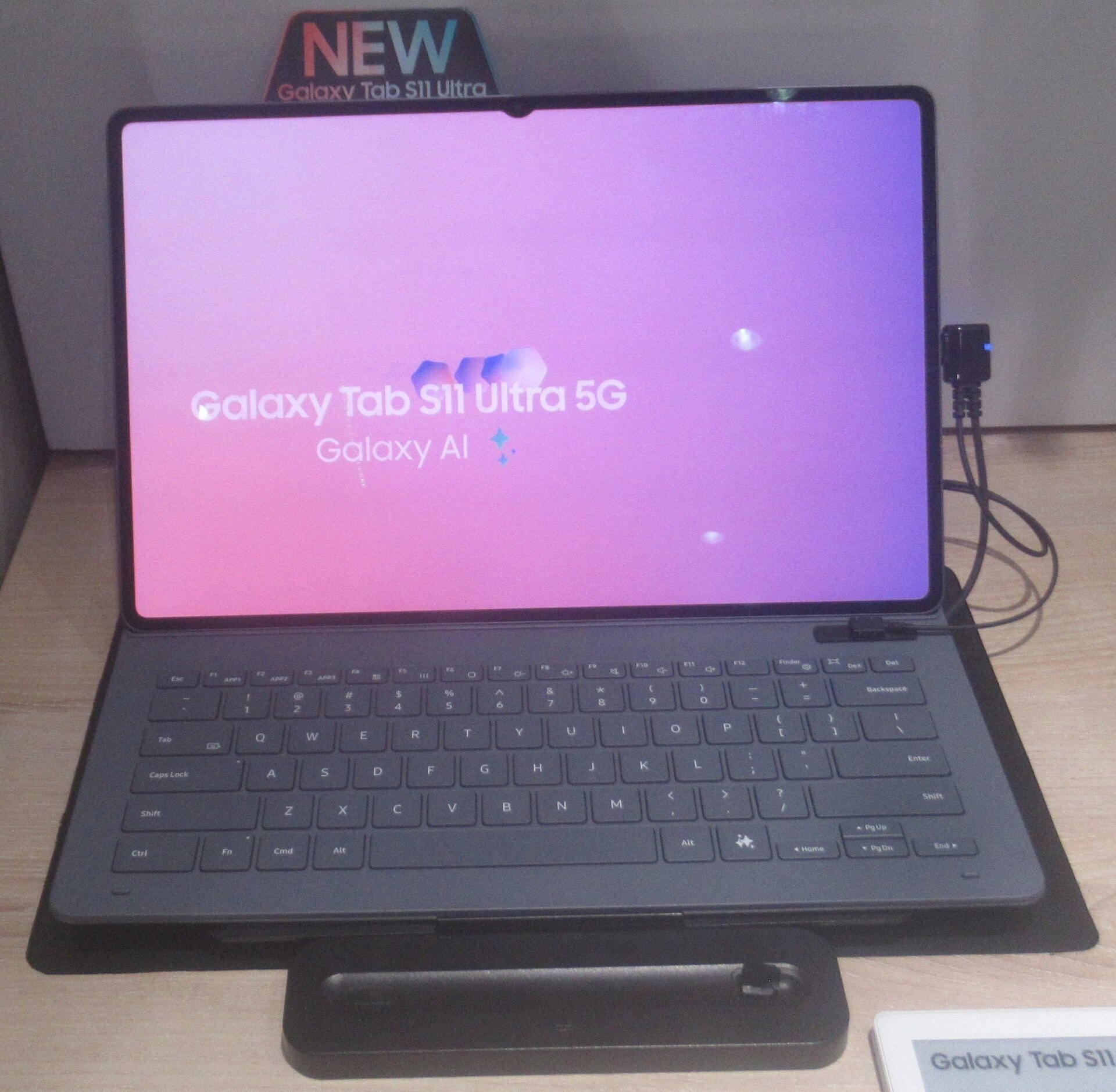
11-inch AMOLED, 120 Hz, Dimensity 9400+, 12GB RAM, from $799.99
The Tab S11 sits in the middle of Samsung’s lineup, and it is the model we would buy. Samsung announced it alongside the Ultra in September 2025. It has the same MediaTek Dimensity 9400+ chip as the Ultra, so you lose no performance by going smaller.
The 11-inch Dynamic AMOLED 2X display runs at 2560 x 1600 with a 120 Hz refresh rate. Compared with the LCD panels on the FE and Lite models, the deep blacks and contrast are the biggest upgrade you will notice. Video, comics and photo editing all look noticeably better on it.
Samsung pairs the chip with 12GB of RAM on every storage tier. That is enough for split-screen multitasking, three apps in floating windows, or DeX desktop mode without slowdowns. The 8,400 mAh battery supports 45W wired charging, though the charger is sold separately.
What is new on the Tab S11
- Thinner build. The Tab S11 measures 5.5 mm thick. That makes it one of the slimmest 11-inch tablets on sale.
- Redesigned S Pen. The new pen has a hexagonal barrel that sits more naturally in the hand and is less likely to roll off a desk. It is still in the box.
- One UI 8 on Android 16. The tablet launched on Samsung’s newest software, with Galaxy AI tools such as Circle to Search, Note Assist and Drawing Assist built in.
- Reworked DeX. Samsung’s desktop mode has been updated for the S11 generation. It gives you a more laptop-like workspace and better external monitor support.
Who should buy the Tab S11
Buy it if you want a premium Samsung tablet that is still comfortable to hold in one hand. Students who take handwritten notes will get the most from it, as will anyone who streams in bed or on planes. It also suits people who sketch casually but do not need a giant canvas.
Skip it if you mostly want a big screen for drawing or for replacing a laptop. The Ultra is the better fit for that.
Watch out
The keyboard cover is an extra purchase. If you plan to type on it, budget for Samsung’s Book Cover Keyboard or a third-party case on top of the $799.99 starting price.
2. Galaxy Tab S11 Ultra: best Samsung tablet for creators and laptop replacement
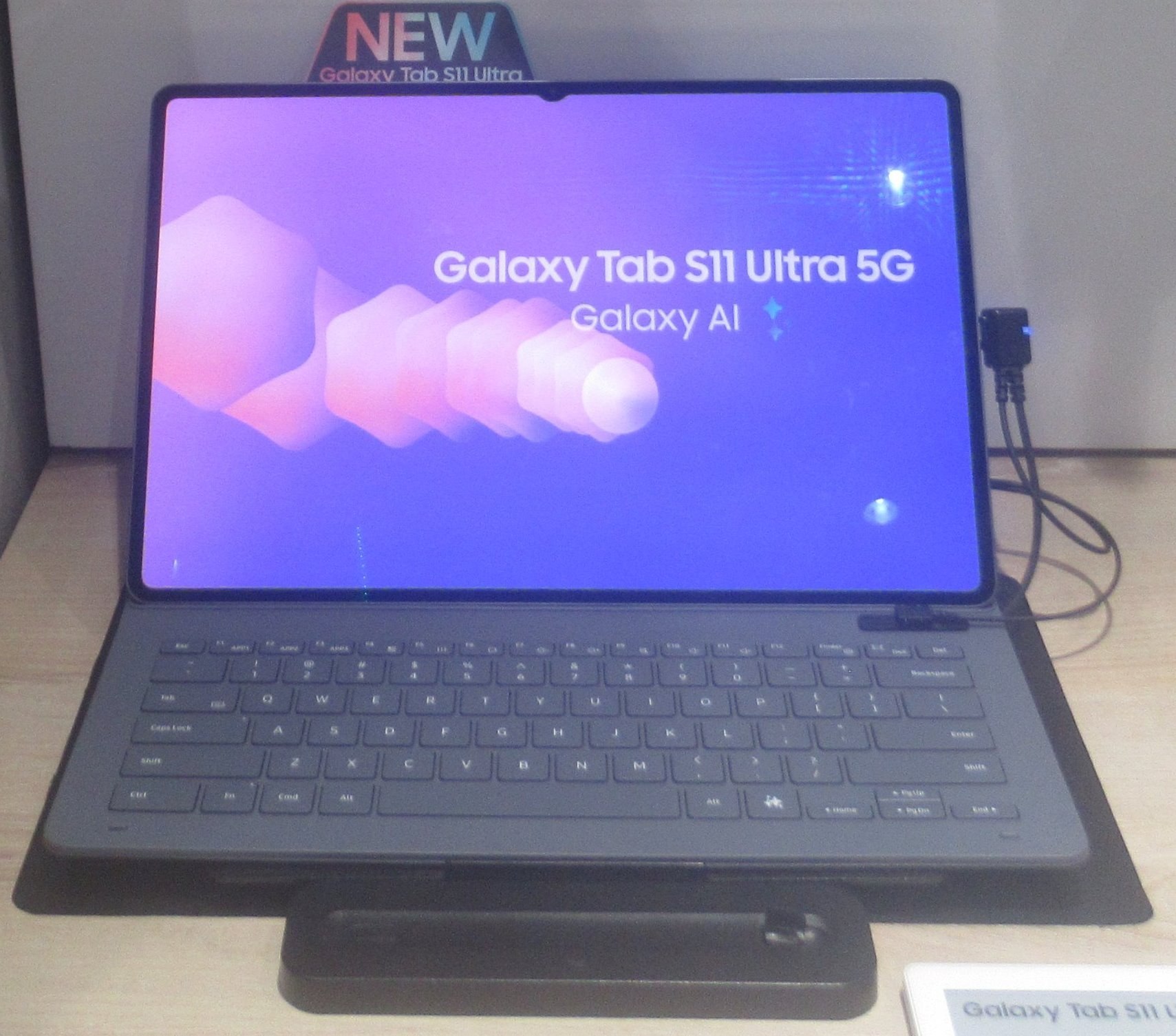
14.6-inch AMOLED, 120 Hz, Dimensity 9400+, 12GB or 16GB RAM, from $1,199.99
The Ultra is Samsung’s biggest and most expensive tablet. It is also the closest Android gets to a real laptop replacement.
The 14.6-inch Dynamic AMOLED 2X screen runs at 2960 x 1848 and 120 Hz. Samsung uses an anti-reflective coating on its Ultra tablets, which helps a lot under office lights or near a window. The display is wide enough to run two full apps side by side with no compromise. A web browser next to a document editor feels like a small laptop.
It weighs 692 grams, so it is not a one-handed tablet. At 5.1 mm, though, it is thinner than the regular S11.
The battery grows to 11,600 mAh, with the same 45W charging. Base models get 12GB of RAM with 256GB or 512GB of storage. The 1TB version steps up to 16GB of RAM, which matters for heavy creative apps or video editing in LumaFusion.
Ultra versus S11: is the extra $400 worth it?
| Feature | Tab S11 | Tab S11 Ultra |
|---|---|---|
| Screen size | 11 in | 14.6 in |
| Battery | 8,400 mAh | 11,600 mAh |
| Max RAM | 12GB | 16GB (1TB model) |
| Rear cameras | Single 13MP | 13MP plus 8MP ultrawide |
| Thickness | 5.5 mm | 5.1 mm |
| US launch price | $799.99 | $1,199.99 |
The chip is the same on both. You pay for screen size, battery and extra memory. The Ultra is worth it for illustrators, people who edit photos on the go, and anyone who wants DeX as their main work setup. For reading, streaming and note-taking, it is overkill.
Who should buy the Tab S11 Ultra
Buy it if you plan to leave the laptop at home, or if you draw seriously. It also makes sense if you want the biggest AMOLED screen Samsung makes. Skip it if you mainly use your tablet on the couch. A 14.6-inch slab is awkward to hold up for long.
3. Galaxy Tab S10 FE: best value Samsung tablet
10.9-inch LCD, 90 Hz, Exynos 1580, 8GB or 12GB RAM, from $549.99
FE stands for Fan Edition. In practice, it means Samsung’s flagship tablet experience with cheaper parts where they matter least. The Tab S10 FE launched in April 2025, and we think it is the smartest buy in the whole lineup for people who do not need AMOLED.
You get a 10.9-inch LCD at 2304 x 1440 with a 90 Hz refresh rate. It is not as vivid as the S11’s AMOLED panel. Text is still crisp and scrolling is smooth enough that most people will not miss 120 Hz.
The Exynos 1580 is a mid-range chip, and it handles note-taking, streaming, light games and split-screen work well. Heavy 3D games and serious video editing will show its limits.
There are three features we did not expect at this price:
- IP68 water and dust resistance. That is rare on any tablet, and it makes the FE a solid pick for the kitchen, the bath or the pool.
- The S Pen in the box. You get the same note-taking and Galaxy AI drawing tools as the flagships.
- A microSD slot. Storage starts at 128GB, but you can expand it cheaply.
Battery capacity is 8,000 mAh with 45W charging support. Samsung sells it in Gray, Silver and Blue.
Who should buy the Tab S10 FE
Buy it if you are a student, a parent who also wants a work tablet, or anyone who wants the S Pen and Samsung’s full software features for about $250 less than the S11. It is also our pick for people who want a tablet that can take a splash.
Buying tip
Get the 12GB RAM version if you plan to use DeX or multitask heavily. The 8GB model is fine for single-app use.
4. Galaxy Tab S10 Lite: cheapest Samsung tablet with an S Pen
10.9-inch LCD, 90 Hz, Exynos 1380, 6GB or 8GB RAM, from $349.99
The S10 Lite is the cheapest way into the S series. Samsung launched it in September 2025, and the headline feature is simple: the S Pen comes in the box at a price close to the A series.
The 10.9-inch 90 Hz LCD matches the FE’s size and refresh rate. The Exynos 1380 is a generation older than the FE’s chip, and RAM starts at 6GB. In everyday terms, apps take a beat longer to open, and multitasking with three or more apps feels tighter.
Battery capacity is 8,000 mAh with 25W charging, which is slower than the FE’s 45W. A full charge takes noticeably longer. There is a microSD slot for expansion.
S10 Lite versus S10 FE
The FE costs about $200 more at launch. For that money you get the newer chip, faster charging, more RAM options and IP68. If you take a lot of handwritten notes and do little else, the Lite covers you. If you want the tablet to stay quick for four or five years, we would stretch to the FE.
Who should buy the Tab S10 Lite
Buy it if you are a student on a budget who needs a stylus for class notes and annotating PDFs. It also suits a family tablet that kids can sketch on. Skip it if you play demanding games or want to use DeX as a desktop.
5. Galaxy Tab A9+: best budget Samsung tablet for streaming
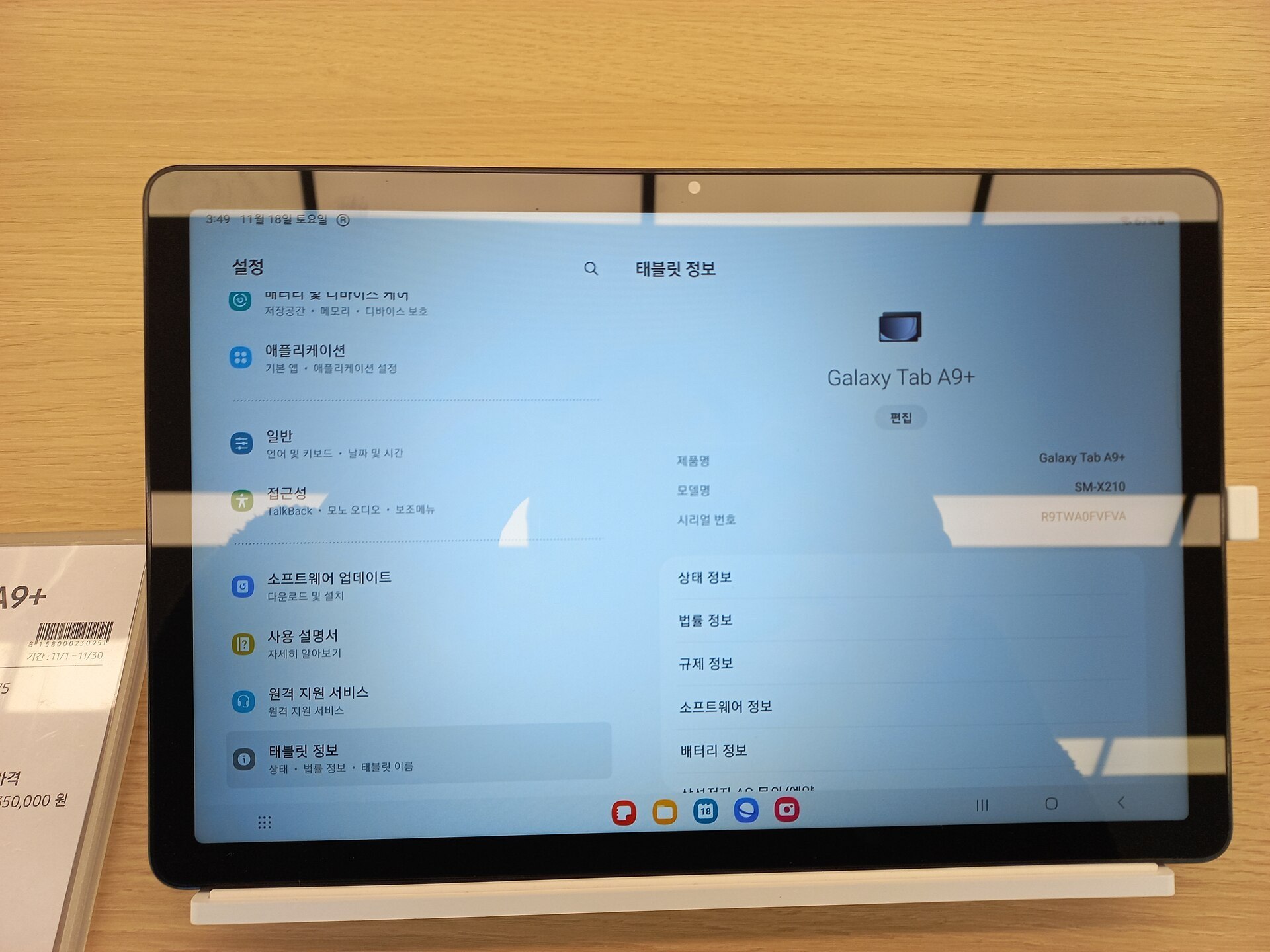
11-inch LCD, 90 Hz, Snapdragon 695, 4GB or 8GB RAM, from $219.99
The Galaxy Tab A series is Samsung’s entry-level line. The A9+ has been the default cheap Samsung tablet since late 2023, and it is still a sensible buy, especially on sale.
The 11-inch screen is a 1920 x 1200 LCD at 90 Hz. That is a lower resolution than the S-series panels, but at normal viewing distance Netflix and YouTube look perfectly good. Samsung fits quad speakers with Dolby Atmos tuning, which makes it a better movie tablet than its price suggests.
The Snapdragon 695 handles video, browsing, email and casual games. Pick the 8GB RAM version if you can find it, because the 4GB model struggles with multitasking.
Battery is 7,040 mAh, and charging tops out at 15W. Expect a long wait to fill it from empty.
The catches
- No S Pen support. You can use a basic capacitive stylus, but you do not get pressure sensitivity or Samsung’s pen features.
- Shorter software support. The A series gets fewer years of updates than the S series.
- Limited Galaxy AI. Most of Samsung’s AI features are reserved for S-series tablets.
Who should buy the Tab A9+
Buy it if you need a second screen for the kitchen, a travel tablet for movies, or a first tablet for an older child. Skip it if you want a tablet that will still feel quick in four years.
What about the smaller Galaxy Tab A9?
The 8.7-inch Tab A9 launched at $159.99 with a MediaTek Helio G99 and a 5,100 mAh battery. Its 1340 x 800 screen is low resolution, so we only suggest it for young kids. Samsung also sells a Kids Edition bundle with a chunky protective case. For adults, the A9+ is worth the extra money.
Samsung has also started rolling out the Tab A11 generation. Check which A model your retailer has in stock, and compare the chip and RAM before assuming the newer number is the better deal. A heavily discounted A9+ can still be the smarter buy.
Watch out
Some retailers still sell much older A-series models, like the Tab A8 or A7 Lite, at prices that look like bargains. They have aging chips and are near the end of their update support. Avoid them unless the price is very low and the use is simple.
6. Galaxy Tab S10 FE+: biggest screen for the money
13.1-inch LCD, 90 Hz, Exynos 1580, 8GB or 12GB RAM, from $649.99
The FE+ is the same tablet as the S10 FE, scaled up. You get a 13.1-inch LCD at 90 Hz, the same Exynos 1580 chip, the same IP68 rating and the same S Pen in the box.
The bigger body allows a larger 10,090 mAh battery, still with 45W charging. Given the larger screen, battery life lands in a similar range to the smaller FE.
We rank it lower than the standard FE for one reason: price. At $649.99 it sits uncomfortably close to the AMOLED Tab S11 at $799.99. For many buyers, the better screen and faster chip on the S11 are worth more than extra size.
Who should buy the Tab S10 FE+
Buy it if screen size matters more than screen quality. That covers sheet music, comics and manga, drawing on a budget, and viewing two documents at once. It is also a good shared family tablet for watching movies together on a flight.
7. Galaxy Tab S10 Ultra and S10+: best deals on last year’s flagships
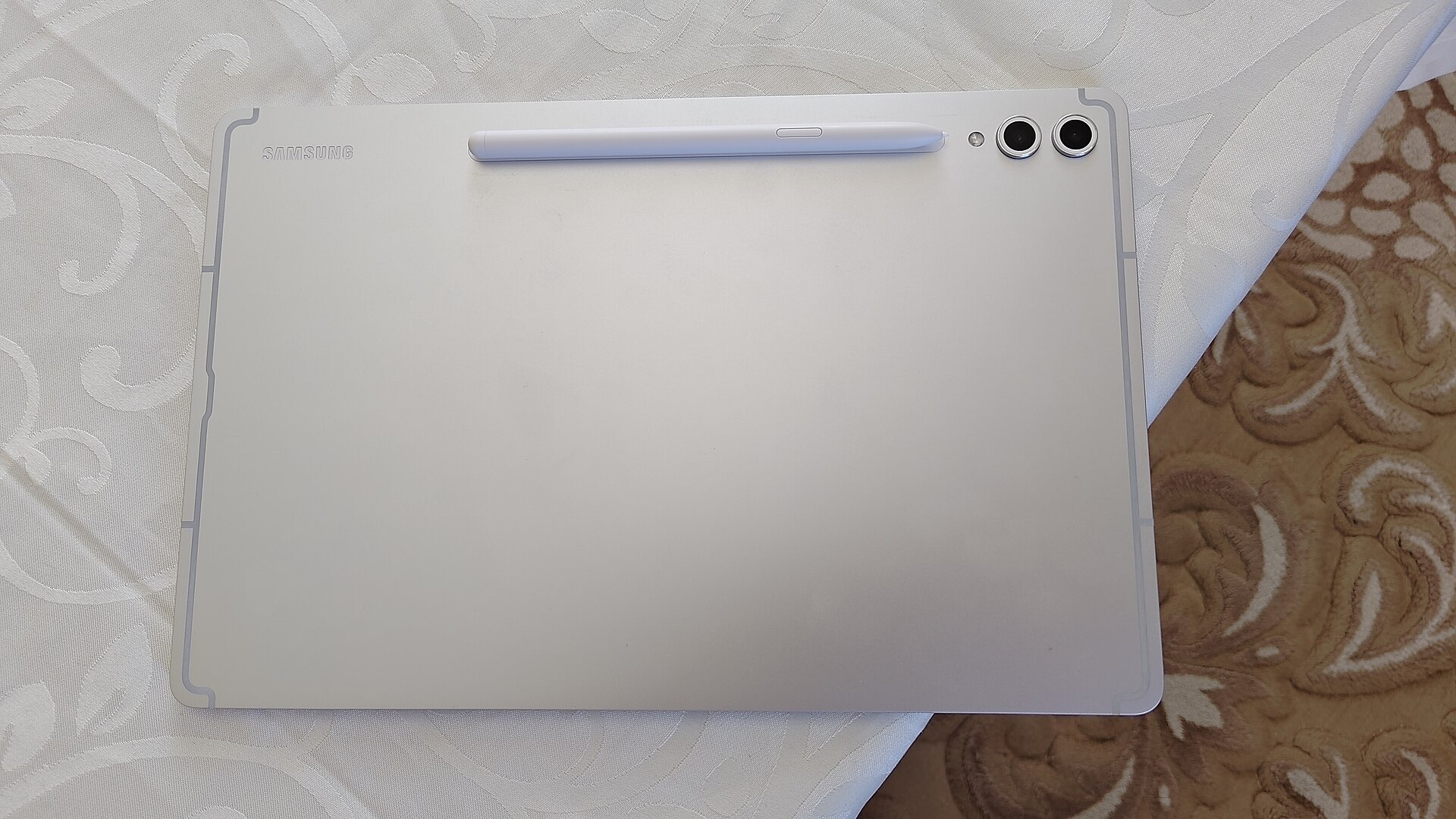
S10 Ultra: 14.6-inch AMOLED, Dimensity 9300+, 11,200 mAh. S10+: 12.4-inch AMOLED, 10,090 mAh
Samsung’s previous flagships launched in the fall of 2024. The S10+ debuted at $999.99, and the S10 Ultra came in at $1,199.99. There was no standard-size Tab S10 that year.
Now that the S11 generation is out, retailers clear S10 stock regularly. At a discount, these tablets are serious value. The Dimensity 9300+ is one generation behind, but it is still a flagship chip with plenty of headroom. Both models have 120 Hz AMOLED displays with anti-reflective coatings, 12GB of RAM, an S Pen in the box and microSD slots.
The S10+ is the more interesting one. Its 12.4-inch size sits between the S11 and S11 Ultra, a size Samsung dropped this generation. If 11 inches feels small and 14.6 inches feels huge, the S10+ is the one to hunt for.
Who should buy a Tab S10 model
Buy one if you can find it for meaningfully less than the matching S11 model. We would want at least $150 to $200 off to justify the older chip. Check the remaining software update window too, because it started counting a year earlier than the S11’s.
Buying tip
Samsung’s certified refurbished store and big retailers often have open-box S10 models. Confirm that the S Pen and charging cable are included before you pay.
8. Galaxy Tab Active5: best rugged Samsung tablet
8-inch LCD, Exynos 1380, 6GB RAM, 5,050 mAh removable battery, IP68 and MIL-STD-810H
The Active line is built for job sites, warehouses, hospitals and field work. Most people will never need one. The people who do usually need it badly.
The Active5 has an 8-inch screen, an Exynos 1380 chip, and two features no consumer Galaxy tablet offers.
- A removable battery. The 5,050 mAh pack swaps out in seconds, so a shift never has to stop for charging. This is the same design idea that makes a repairable phone last longer.
- Military-grade durability. It carries IP68 water and dust resistance plus MIL-STD-810H drop and shock testing. The S Pen that ships with it is also water resistant.
Samsung also lets you use the screen with gloves or wet hands, and there is a programmable key for work apps. There is a larger Tab Active5 Pro with a 10.1-inch screen and a bigger removable battery for heavier-duty fleets.
Who should buy the Tab Active5
Buy it if you work outdoors or on a site, run a business fleet, or have a child who has broken every other tablet you own. Samsung sells the Active line mostly through business channels and carriers, so pricing varies by bundle and volume.
How Samsung’s tablet names work
Samsung’s naming confuses a lot of people searching for a “Samsung pad” or “tab Samsung” model. Here is the logic.
| Series | What it means | Who it is for |
|---|---|---|
| Galaxy Tab S | Flagship chips, AMOLED screens, S Pen included | Power users, creators, laptop replacement |
| Galaxy Tab S FE | Flagship features with an LCD and mid-range chip | Students and value buyers |
| Galaxy Tab S Lite | Cheapest S-series model, S Pen included | Note-takers on a budget |
| Galaxy Tab A | Budget, no S Pen support | Streaming, kids, second screens |
| Galaxy Tab Active | Rugged, removable battery | Field workers and businesses |
The number tracks the generation, and it moves roughly once a year. Inside the S series, “+” means larger, and “Ultra” means largest. A Tab S11 Ultra is newer and bigger than a Tab S10+, but both are flagship-tier.
Release timing follows a pattern too. Samsung has launched its main S-series flagships in late summer or fall, and the FE models in spring. Before you buy a flagship in July or August, check whether a new generation is about to land. The outgoing model often drops sharply in price after the launch.
Wi-Fi or 5G? Buying a Samsung tablet from a carrier
Most Galaxy tablets come in Wi-Fi only and cellular versions. The 5G models can connect to a mobile network without a hotspot, which is handy for commuters, sales staff and anyone who works on the move.
Should you pay for 5G?
For most people, no. A Wi-Fi tablet plus your phone’s hotspot covers occasional use. The cellular version usually costs more upfront, and you also pay a monthly data line on top.
Pay for 5G if you use the tablet away from Wi-Fi every week. That includes navigation in a car, work in the field, or frequent travel where hotel Wi-Fi is unreliable.
Buying through a carrier
Carriers like T-Mobile, Verizon and AT&T sell 5G Galaxy tablets directly. They often split the cost into monthly device payments and bundle a promotion, such as a discount when you add a tablet line to an existing plan. Read the full details of any offer before you sign. Many carrier deals are paid as monthly bill credits that stop if you cancel the line early, which locks you in for two or three years.
Carriers also let you pay monthly for accessories like keyboard covers, chargers and cases. That spreads the cost, but it does not make them cheaper.
Bring your own tablet
If you already own a cellular Galaxy tablet, most carriers let you bring your own tablet and add it to your account with a SIM or eSIM. Check three things first.
- It is a cellular model. Wi-Fi-only tablets have no modem, and no SIM will make them connect.
- It is unlocked. A tablet bought on a payment plan from another carrier may be locked until it is paid off. Ask that carrier to unlock it through its official process.
- It supports the carrier’s bands. Each carrier’s website has a compatibility check where you enter the IMEI, which you will find in Settings under About tablet.
The same steps apply to smartwatches with cellular connectivity. Galaxy Watch LTE models also need a compatible line on your carrier’s network.
Watch out
A tablet line usually costs extra each month even with a “free” tablet promotion. Add up the plan cost over the full contract term before you compare it with buying an unlocked Wi-Fi model outright.
Software: what One UI and Galaxy AI add
Every Galaxy tablet runs One UI, Samsung’s layer on top of Android. On tablets, it includes a few features that make Samsung tablets better at productivity than most Android rivals.
DeX desktop mode
DeX turns the tablet into a desktop-style workspace with resizable windows and a taskbar. With a keyboard cover attached, it feels close to a Chromebook. On S-series tablets, you can also connect an external monitor. DeX works best on the S11 and S11 Ultra because of their faster chips and extra RAM.
Multi-window and the taskbar
You can run up to three apps on screen plus floating pop-up windows. The taskbar at the bottom holds your recent and favorite apps, so switching feels more like a laptop than a phone. If the app layout feels cluttered, it is worth learning how the One UI app drawer can be sorted and customized. It works the same way on Galaxy tablets as on Galaxy phones.
Galaxy AI on tablets
Samsung’s AI features vary by model. S-series tablets get the most, A-series tablets the least. Highlights include:
- Circle to Search. Circle anything on screen to search it with Google. It is quicker than taking a screenshot, and it works much like using Google Lens on Android.
- Note Assist. It summarizes, formats and translates notes in Samsung Notes.
- Drawing Assist and Sketch to Image. These turn rough S Pen sketches into polished images.
- Live Translate and Interpreter. These help with conversation translation on supported models.
Some Galaxy AI features need a Samsung account, and some process in the cloud. Check Samsung’s support pages for the current feature list on your exact model, because features differ by tablet and region.
Samsung ecosystem perks
If you own a Galaxy phone, the tablet integrates closely with it. You can copy on one device and paste on the other, continue apps between devices, and use the tablet as a second screen for a Samsung laptop. Galaxy Buds also switch automatically between your phone and tablet. Notifications from your phone and Galaxy Watch can sync across, so you stay up to date without picking up the phone. If you are also about to choose a phone, sticking with Galaxy on both devices gives you the most from these features.
Accessories that change the experience
The tablet price is only part of the cost. These are the accessories worth budgeting for.
- Keyboard cover. Samsung’s Book Cover Keyboard is the best fit, especially for DeX, but it is expensive. A third-party Bluetooth keyboard case saves a lot of money for occasional typing.
- Charger. Samsung no longer includes a power adapter in the box with most tablets. To get the full 45W on S11 and FE models, you need a USB-C PD charger that supports Samsung’s PPS standard.
- microSD card. Many FE, Lite, A and older S-series models take microSD cards, often up to 1TB or 2TB. A card is far cheaper than buying the next storage tier.
- Screen protector. A matte “paper-feel” protector makes S Pen writing feel more like pencil on paper. It slightly softens the image, so it suits note-takers more than movie watchers.
- Spare S Pen tips. Tips wear down with heavy use. Samsung includes spares with most tablets, and replacements are cheap.
Buying tip
Samsung frequently runs launch promotions that bundle a free storage upgrade or a discounted keyboard cover. If you are buying a new flagship, preordering or buying in launch week often beats the regular price.
Samsung tablet or iPad?
This is the most common question we see from people comparing tablets for sale. Our expert view is short.
Choose a Galaxy tablet if you already use Android or a Galaxy phone, or if you want the stylus included in the price. Samsung bundles the S Pen with every S-series tablet, while Apple sells its Pencil separately. Galaxy tablets also tend to offer microSD expansion on mid-range models and AMOLED screens at lower prices than Apple’s OLED iPads.
Choose an iPad if you are already invested in iPhone and Mac, or if you rely on pro creative apps that only run on iPadOS. The tablet app library on iPad is still deeper, especially for professional music and illustration tools.
For streaming, browsing and note-taking, both platforms are excellent. Pick the one that matches the phone in your pocket.
Buying refurbished or used
A used Samsung tablet can be a great deal, but we follow a few rules.
- Buy certified refurbished where possible. Samsung, major retailers and carriers sell inspected refurbished stock with a warranty.
- Check the update window. An older flagship with two years of support left can be a worse buy than a new FE with several years ahead of it.
- Check the account lock. The seller must remove their Samsung and Google accounts before handing it over. A tablet still signed in to someone else’s account is effectively unusable, and you should walk away.
- Inspect the S Pen and screen. Make sure the pen works across the whole display and that there are no dead zones or burn-in on AMOLED models.
Our verdict: which Samsung tablet fits you
These are our picks by buyer type.
- Most people: Galaxy Tab S11. Flagship speed, AMOLED, S Pen, and a size you can hold.
- Creators and laptop replacement: Galaxy Tab S11 Ultra. The biggest screen, the most RAM and the best DeX experience.
- Best value: Galaxy Tab S10 FE. IP68, S Pen and microSD for around $550.
- Students on a budget: Galaxy Tab S10 Lite. The cheapest tablet with the S Pen in the box.
- Streaming and casual use: Galaxy Tab A9+. Good speakers and a decent screen for little money.
- Big screen on a budget: Galaxy Tab S10 FE+.
- Deal hunters: a discounted Galaxy Tab S10+ or S10 Ultra.
- Tough environments: Galaxy Tab Active5.
If you are stuck between two models, choose the one with the better chip. Tablets get kept for years, and the slower model is the one you will regret first.
FAQ
What is the best Samsung tablet right now?
The Galaxy Tab S11 is the best Samsung tablet for most buyers. It has the same Dimensity 9400+ chip as the Ultra, an 11-inch 120 Hz AMOLED screen, 12GB of RAM and the S Pen included, from $799.99 in the US. If you want a much bigger screen, the Tab S11 Ultra is the step up.
Do Samsung Galaxy tablets come with the S Pen?
Every current Galaxy Tab S model includes the S Pen in the box. That covers the S11, S11 Ultra, S10 FE, S10 FE+ and S10 Lite. The Galaxy Tab Active5 includes one too. Galaxy Tab A models do not support the S Pen at all.
What is the cheapest Samsung tablet worth buying?
For adults, the Galaxy Tab A9+ is the cheapest model we recommend, at a $219.99 launch price. For young kids, the 8.7-inch Tab A9 or its Kids Edition bundle is fine. If you need a stylus, the Tab S10 Lite is the cheapest option with real S Pen support.
Can I use a Samsung tablet on my phone carrier’s network?
Only if you buy a cellular (5G) version. Wi-Fi-only models cannot connect to a mobile network. Unlocked 5G Galaxy tablets work with most major carriers through a SIM or eSIM. Run the carrier’s compatibility check using the tablet’s IMEI first.
How long do Samsung tablets get software updates?
It depends on the series. Samsung’s premium S-series tablets get the longest OS upgrade and security update commitments, and the budget A series gets noticeably fewer years. Samsung lists the policy for each model on its product and support pages. Check it before you buy, especially for older or discounted models.
Can a Galaxy tablet replace a laptop?
For many people, yes, if you pair an S-series tablet with a keyboard cover and use DeX. The Tab S11 Ultra is the strongest candidate because of its 14.6-inch screen and up to 16GB of RAM. Some desktop software is still unavailable on Android, so check that your essential apps have Android versions before you sell your laptop.
When is the best time to buy a Samsung tablet?
Samsung has launched its flagship S-series tablets in late summer or fall and its FE models in spring. Buying just after a new launch gets you either launch-week promotions on the new model or clearance prices on the outgoing one. Holiday sales periods also bring regular discounts on Galaxy tablets.